

Quick summary
- Each approval saves a new version of one product’s hazard log, so you approve each product separately.
- Republish options is ticked by default, so approving also updates the published hazard logs that already include this product.
- You publish a new bundle separately, from Share and publish your hazard log.
Approve a new version
1
Set the version details
On the Hazard Log page, click Approve, pick the product under Product, then check these under New version:
2
Update published logs and save
Under Republish options, Update published hazard logs for this product is ticked by default.
- Expand the option to untick any published hazard log you don’t want to move to this version.
- If no published hazard log includes the product yet, the dialog has no Republish options.
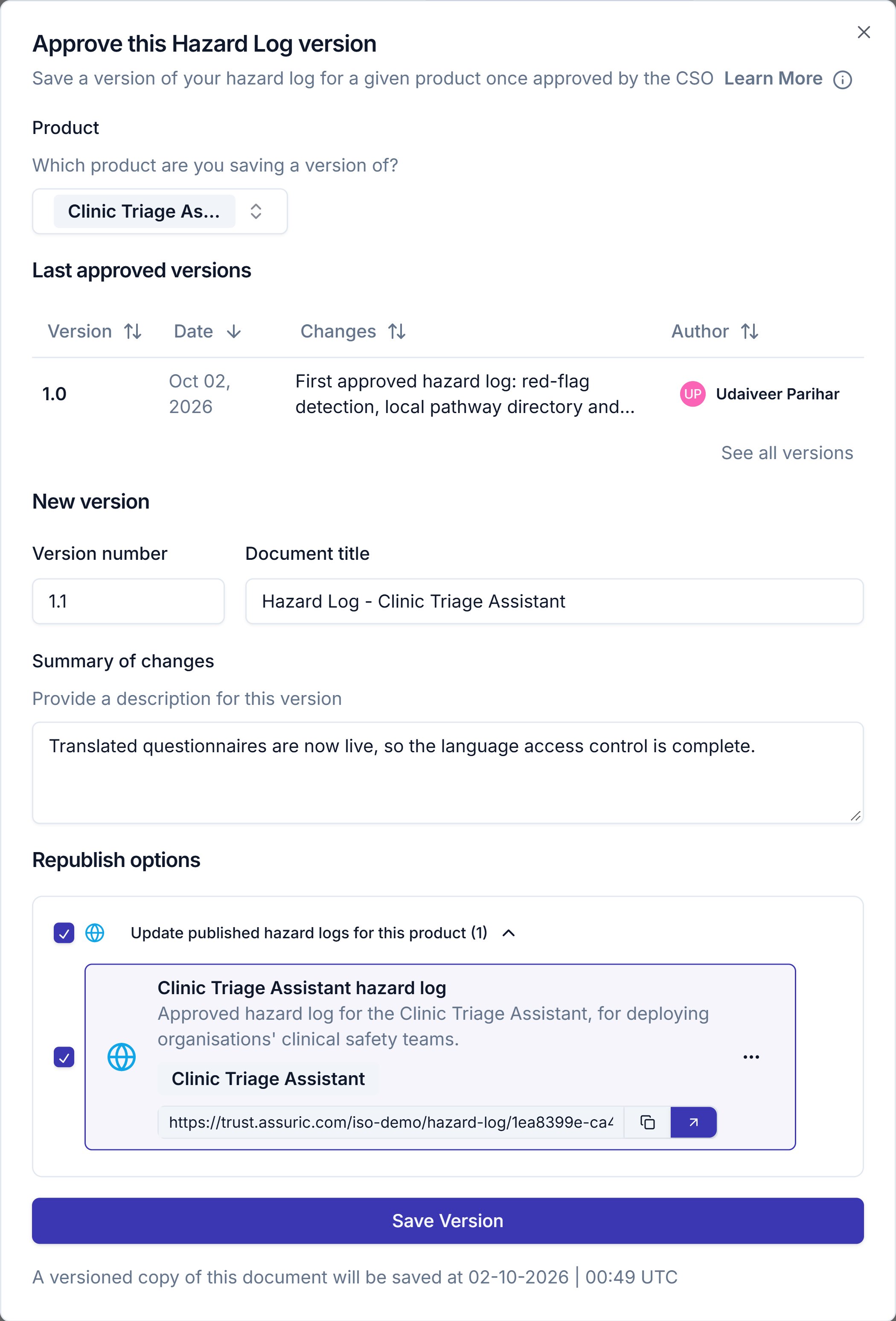
The approve dialog for one product, with its last approved version, the suggested version number and the Republish options expanded.
What republishing does
- If you untick Republish options, customers keep seeing the version they had.
- The other products in each published log keep their versions.
- The public link stays the same, so customers who saved it see the new version next time they open it.
Find and manage versions
Click Versions on the Hazard Log page to open the Hazard Log Versions sheet. Save Approved Version opens the approve dialog from here.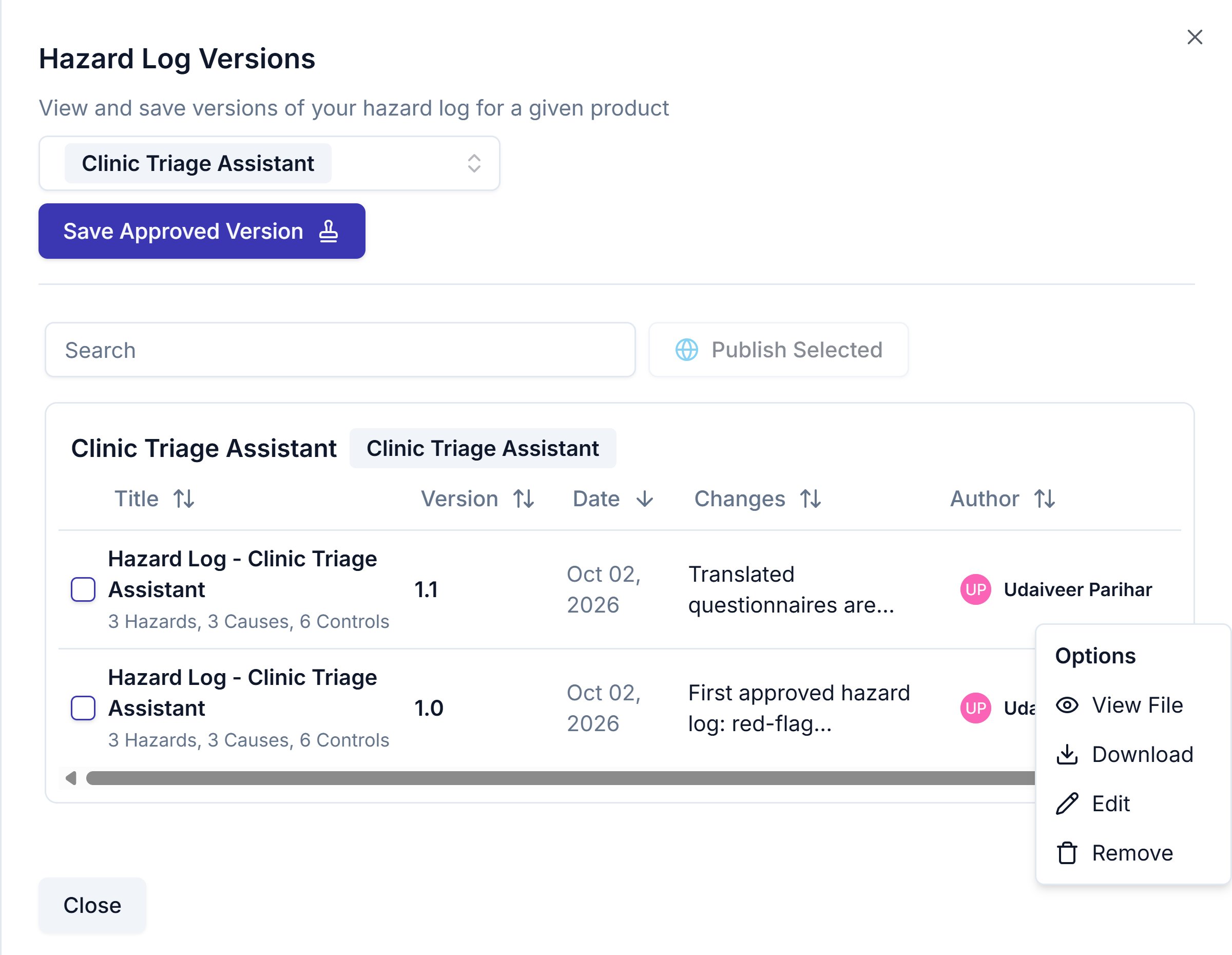
The Hazard Log Versions sheet for one product, with a version's row menu open.
A version holds the hazards that weren’t archived when you saved it.
To publish versions, tick one or more rows and click Publish Selected, which opens the Publish new hazard log dialog with those versions already ticked.
Related articles
Export a hazard log
Which export to use, and what each one gives you.
Share and publish your hazard log
Bundle approved versions and share them through your Trust Centre.