

Quick summary
- Personal Notifications has 6 categories, from a scheduled digest to comment activity. Organisation Notifications has 3, admin-set and workspace-wide.
- Trust Page Requests and Incidents appear in both scopes. Checklist reminders is organisation-only, and all others are personal-only.
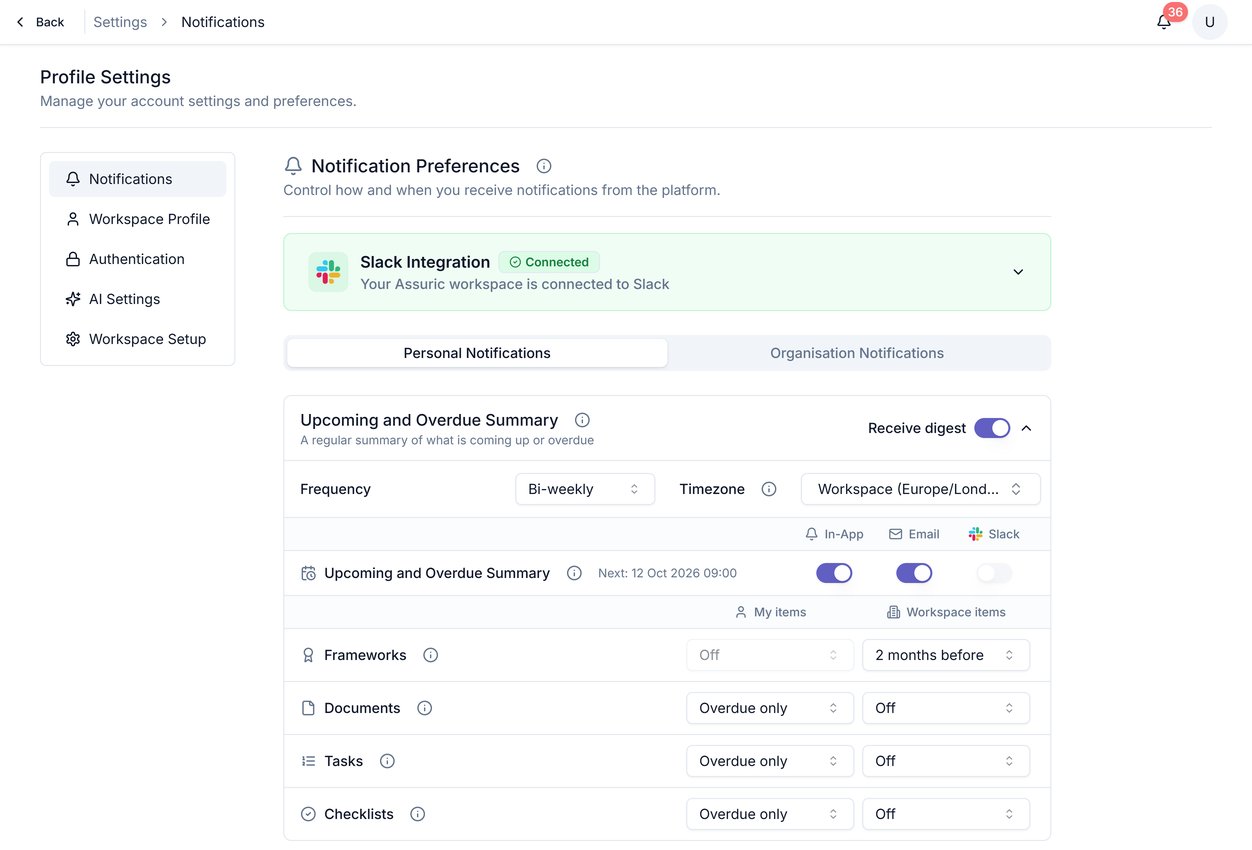
The Notifications screen, showing the Personal/Organisation scope switcher and the Upcoming and Overdue Summary category.
Personal Notifications
Document Activities covers only being asked to review a document; Document QMS Activities is separate, covering the approval lifecycle once you’re in it.
Organisation Notifications
Access requests and who can see what covers the Trust Page Requests event, in either scope, in more depth. Updating a published document and notifying the people who hold it is a separate workflow: see Notify stakeholders of updates.
Related articles
Personal notification settings
Setting your own preferences for these categories.
Notification channels
What each channel does, and how organisation-wide routing works.