

Quick summary
- An authored document has to be Approved before you can add it to your Trust Centre.
- Publish a hazard log to show customers an always-current web view for each product, not a PDF.
- Custom frameworks, for things like a NIS 2 certificate, are off until our team switches them on.
Approve, then publish
An authored document can be added only once it’s Approved. Customers see that version, so editing the draft changes nothing until you approve the next one and move the resource to it.Evidence, PDFs and certificates don’t need the Approved status that authored documents do. Nothing in your evidence bank is public until you add it to your Trust Centre.
What customers ask for
- Certificates: Cyber Essentials, Cyber Essentials Plus, ISO 27001 and
- Clinical Safety Case Report, Hazard Log and Clinical Risk Management Plan, your set
- DPIAs and other templates
Publishing a hazard log
Publish on a hazard log puts an always-current web view of it on your Trust Centre, easier to read than a PDF. Customers can still download it as a spreadsheet.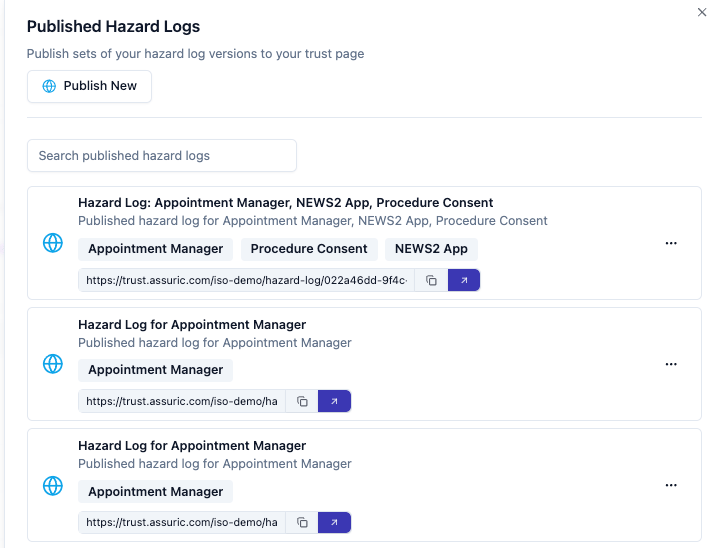
Publishing a set of hazard log versions to your Trust Centre, scoped per product.
Framework badges, statuses and custom frameworks
Get in touch with our team for a verified by Assuric badge. Custom frameworks show an assurance Assuric doesn’t track, such as a NIS 2 certificate or a CREST penetration test. Ask our team to switch them on for your workspace; until then, Add Framework is greyed out. To add one (admins only):- Go to Trust Centre → Page Content → Compliance and click Add Framework.
- Enter a Label, such as
NIS 2, upload a square logo, and add a Description, a Status (Active or In Progress) and the Countries / Regions it covers. - Leave Visible on Trust Page on to show it straight away, or turn it off to add it hidden. Then click Create Framework. It appears in your list tagged Custom.
- It works like your other frameworks: you can attach resources to it, each public or by access request.
- Admins can edit or delete it from its card.
- It appears only on your Trust Centre, not under Frameworks, because it isn’t linked to compliance tracking.
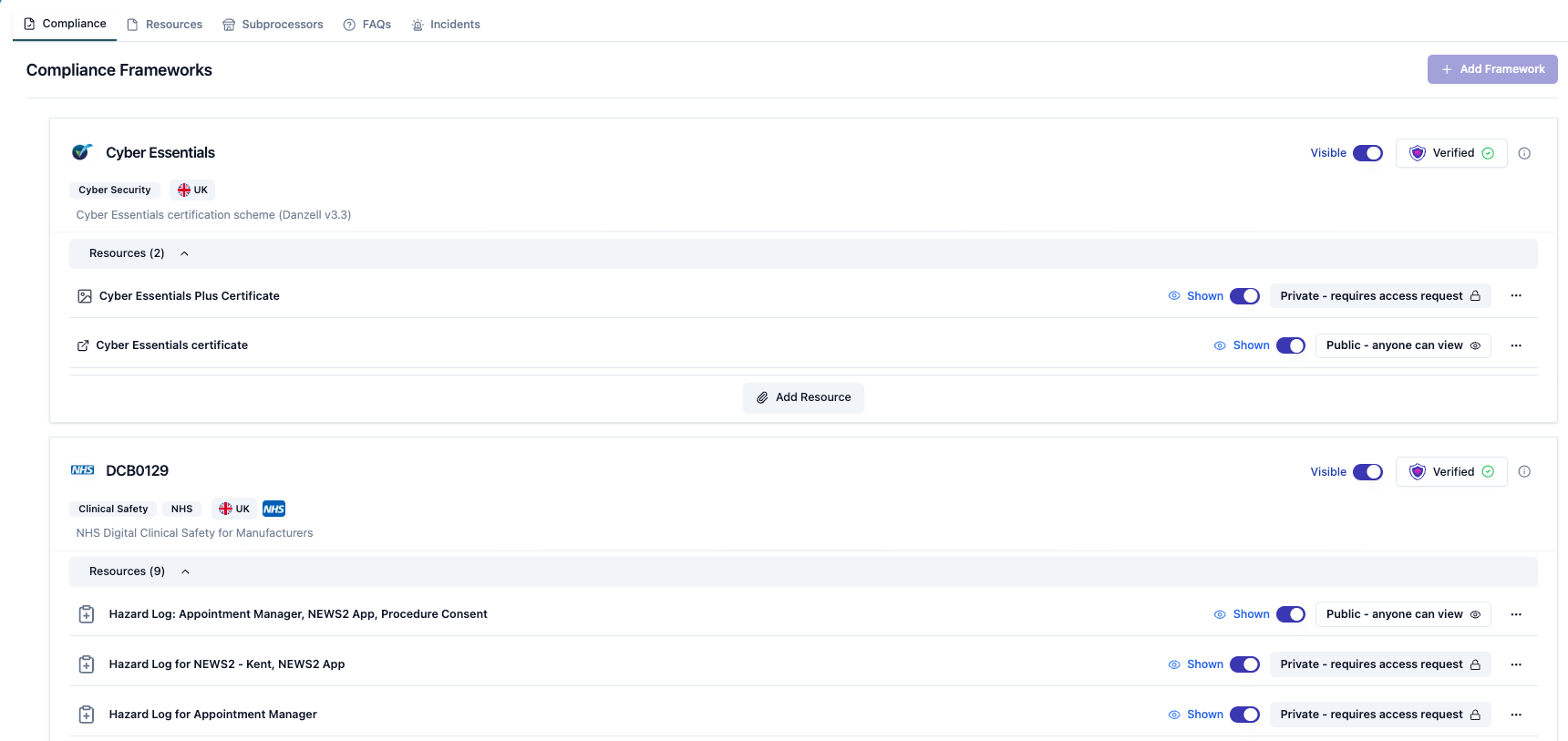
Compliance frameworks in the admin, with the Verified badge and per-resource visibility. Add Framework, top right, stays greyed out until custom frameworks are switched on.
Subprocessors
Add each with what it does and where it’s based. Information governance teams use these details to check where data is held and that data processing agreements are in place.FAQs
FAQs answer what you’d otherwise get by email, like where you host data. Ours are at trust.assuric.com/assuric/public/faq.Related articles
Access requests and who can see what
Public documents, access requests, expiry dates and who approves.
Notify stakeholders of updates
Update a published document and tell the people who hold it.