

Quick summary
- One shared task, CAPA records maintained, holds your CAPA records across all enabled frameworks.
- There’s no CAPA module yet: you keep the log in Assuric’s CAPA Log template.
- Keep CAPA records for 5 years.
Open the CAPA task
Go to Frameworks → your framework → the Tasks tab, filter forCAPA and select CAPA records maintained.
What Assuric tracks today
A non-conformance is one instance of something not meeting requirements, and a corrective and preventive action (CAPA) formally investigates why. Each framework has its own CAPA procedure task but shares one record task, CAPA records maintained. With Class I UK MD (low-risk software as a medical device) enabled, the same task counts towards that framework too. Download the CAPA Log template from the task.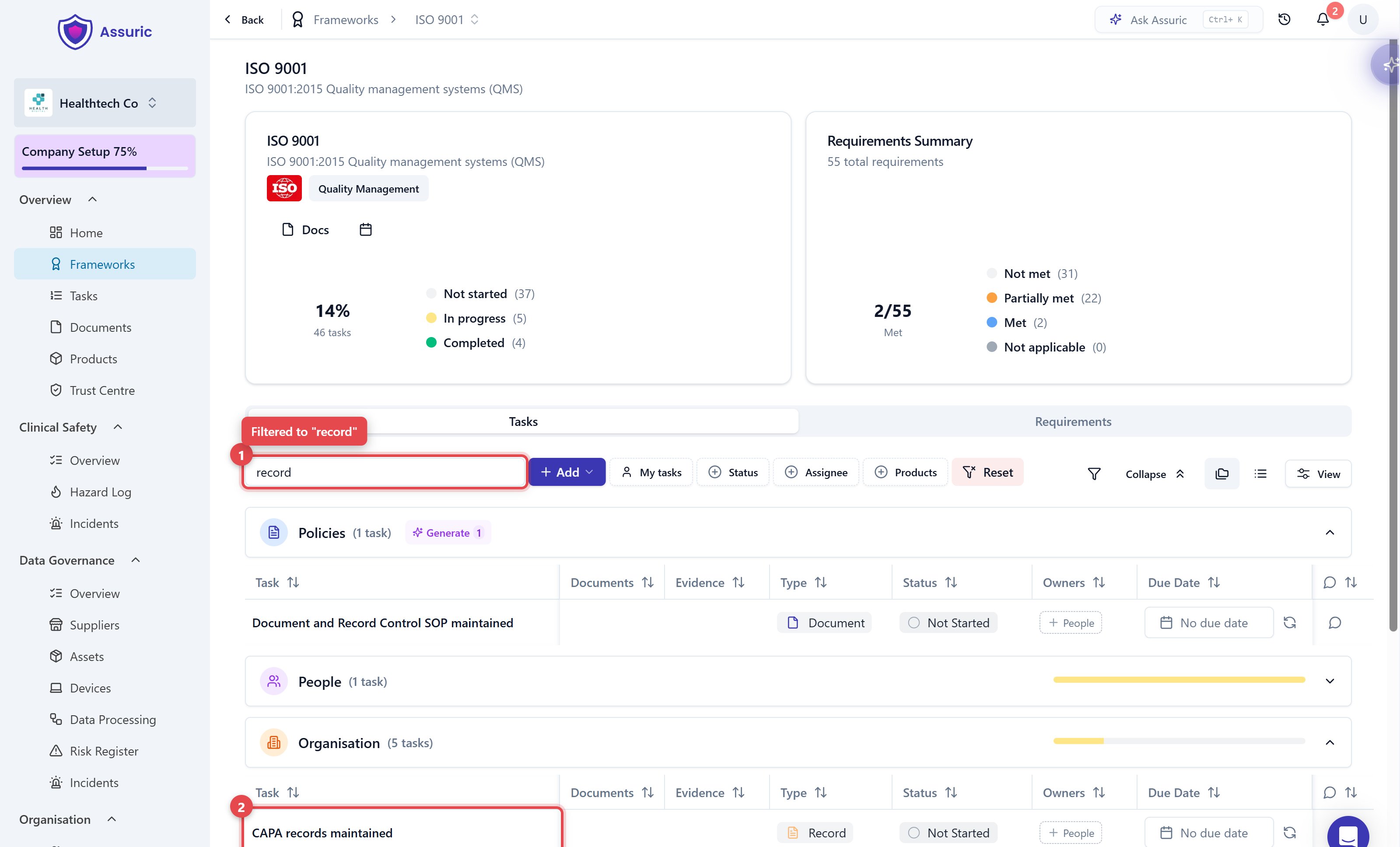
Limits
- There’s no CAPA module, so no intake form, workflow or dashboard. You keep the log yourself, in Assuric’s CAPA Log template, and the task tracks that you’re doing it.
- Retention is 5 years, per UK MDR 2002, whichever framework the record is logged against.
Non-conforming product
Only ISO 13485 has a separate task for this, SOP Control of Non-Conforming Product maintained. ISO 9001’s CAPA procedure covers nonconforming outputs (8.7) and nonconformity and corrective action (10.2), and its records go in CAPA records maintained.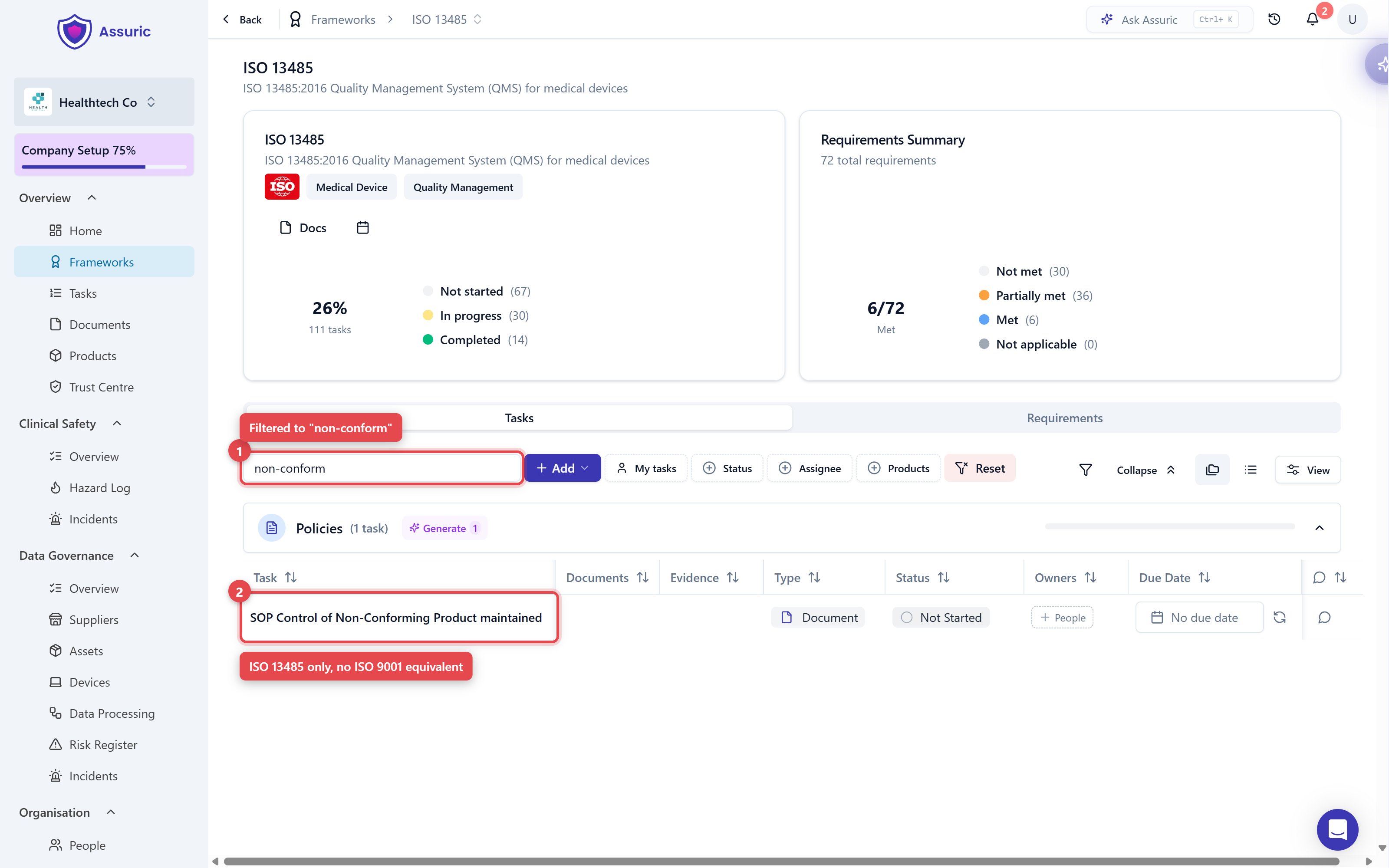
Related articles
Audit and review records
Where CAPAs and findings usually come from.
Procedures and records
The CAPA procedure task points at a document like any other.
Quality FAQ
Quick answers to the things customers ask us most.