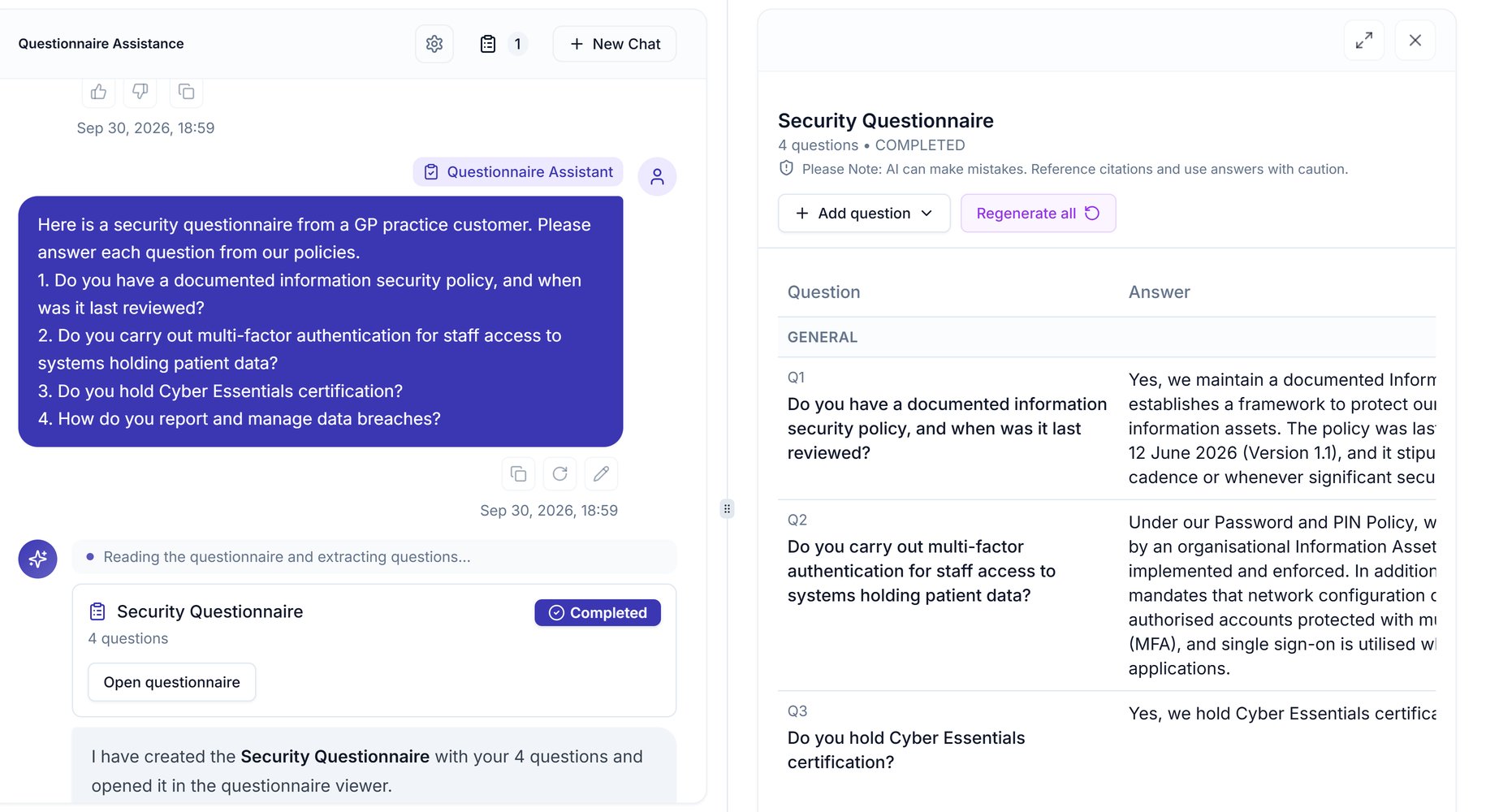
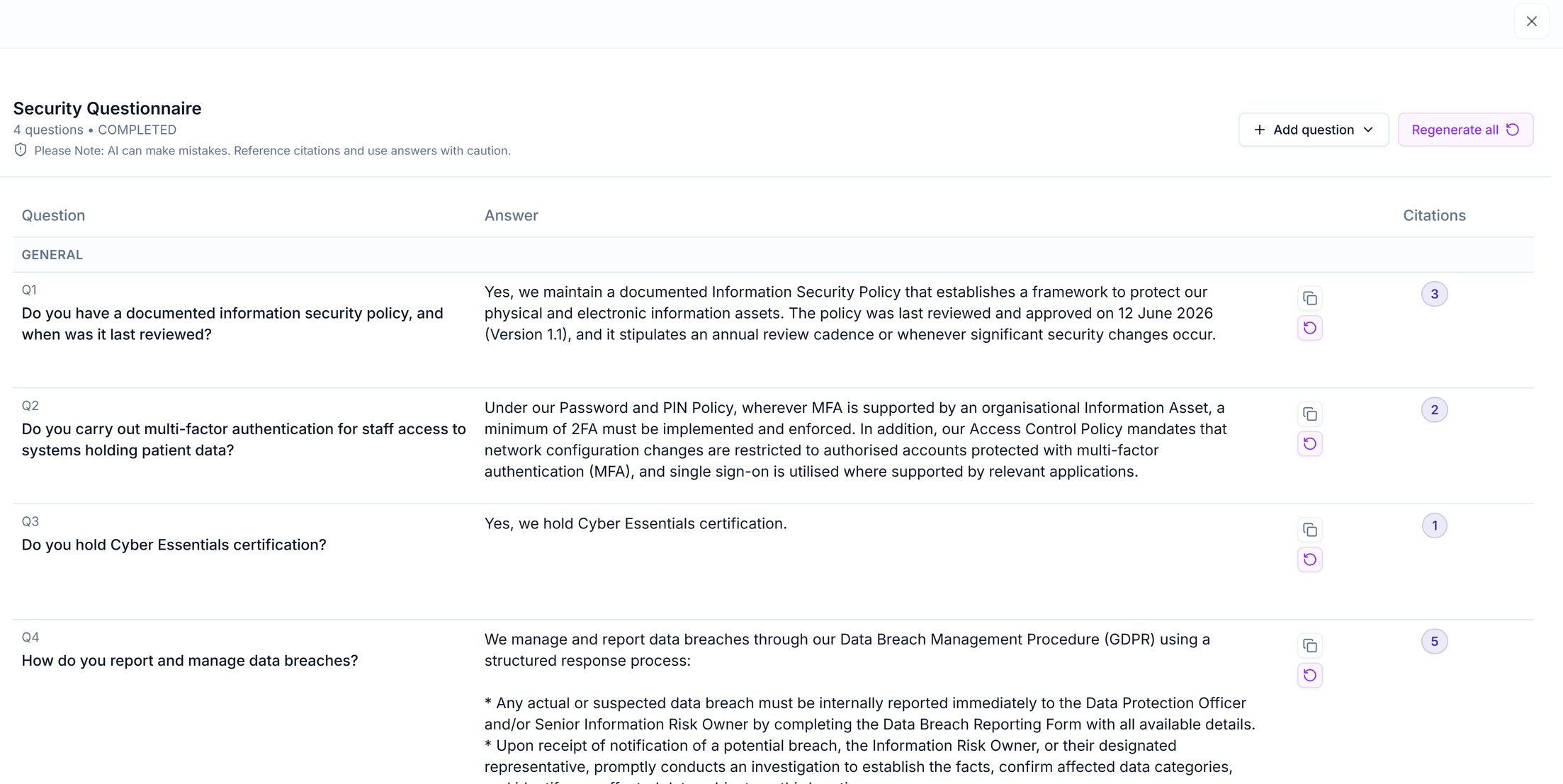
Click the answer text and type, and your change is saved.
Add a question the customer asked later
Click Add question, type the question and click Add question again: the assistant drafts the answer straight away, as Auto-answer after add is ticked by default.
In Add question, the Section list files the question under a section, or General if you have none.To return to a questionnaire, open its chat from Chat History and click Open questionnaire. Your edits and added questions are kept.
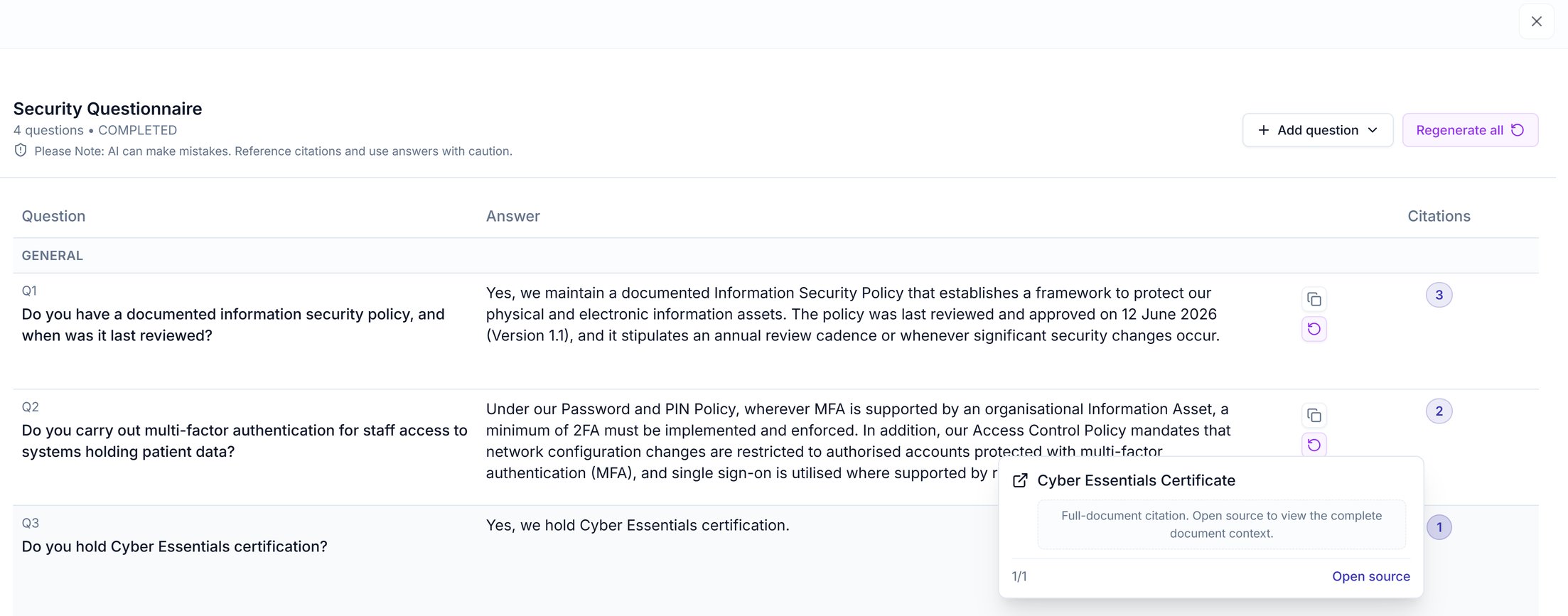
Answers can only cite what’s in your workspace, so keep your policies and evidence up to date.
No source found: the answer reads “Information not found in your Assuric workspace.” with no citations. The policy or evidence isn’t in Assuric yet: add it, then click the answer’s regenerate button.
Source doesn’t back the answer: read the source, then edit or regenerate the answer.
AI can make mistakes, and a questionnaire answer is a statement to a customer, so you’re accountable for what you submit. Check each one against its source, especially dates, certifications and anything about how you handle patient data.
The same mode drafts answers for the NHS Data Security and Protection Toolkit (DSPT), with these differences:
Start from the home page: click Complete on the Complete your DSPT assessment prompt, which shows on your home page only while your DSPT submission is due for renewal. The assistant opens with the DSPT questionnaire already loaded, so there’s nothing to paste or upload.
Asking in the chat: this doesn’t start the assessment.
In Auto mode, “Help me complete my DSPT assessment” returns where you stand (progress, requirements met, outstanding tasks) and the steps to submit.
In Questionnaire Assistant mode, it asks you to upload the file or paste the questions.
Copy the answers into the portal: the DSPT has no API, so for each answer, click the copy button and paste it into the matching question in the DSPT portal.