

Quick summary
- The default matrix rates hazards 1 to 5 from likelihood and severity, so multiplied spreadsheet scores won’t match.
- From a residual rating of 3, you must fill in Residual Risk Justification and confirm whether the risk is ALARP.
- Only count controls that are in place. An assessor will spot a residual rating that relies on planned ones.
Likelihood
Likelihood is how often the harm happens.Severity
Severity is the possible consequences of the harm.How the rating is produced
Every workspace starts with this DCB0129 matrix. Where the likelihood’s column meets the severity’s row is your Overall Rating.
A spreadsheet that multiplies likelihood by severity scores 1 to 25, which doesn’t map onto the matrix: likelihood 5 with severity 1 multiplies to 5, but the matrix gives 3.
If your organisation multiplies likelihood by severityOur team sets this up for you. Hazards then show a score from 1 to 25 in the same 5 bands (1 to 3, 4 to 6, 7 to 12, 13 to 16 and 17 to 25). The banner and required justification start at band 3, a score of 7, and the banner shows the score, such as “Undesirable level of risk: 9”.
What each rating means
On a risk stage, the info icon beside Overall Rating shows these definitions. A grey ? means no rating yet.
What happens at 3 and above
- Initial Risk: a line under Overall Rating always names the band, such as “Your initial risk rating is 2 which is acceptable. Adding further controls is optional.”
- Residual Risk: from a rating of 3, a banner names the band and what you need to do:
- at 3, “Undesirable level of risk” asks you to attempt to eliminate the hazard or add controls;
- at 4 or 5, “Unacceptable level of risk” says eliminating the hazard or adding controls is mandatory.
“Residual risk rating is undesirable or unacceptable - confirm if ALARP, and if so provide a risk-benefit justification”
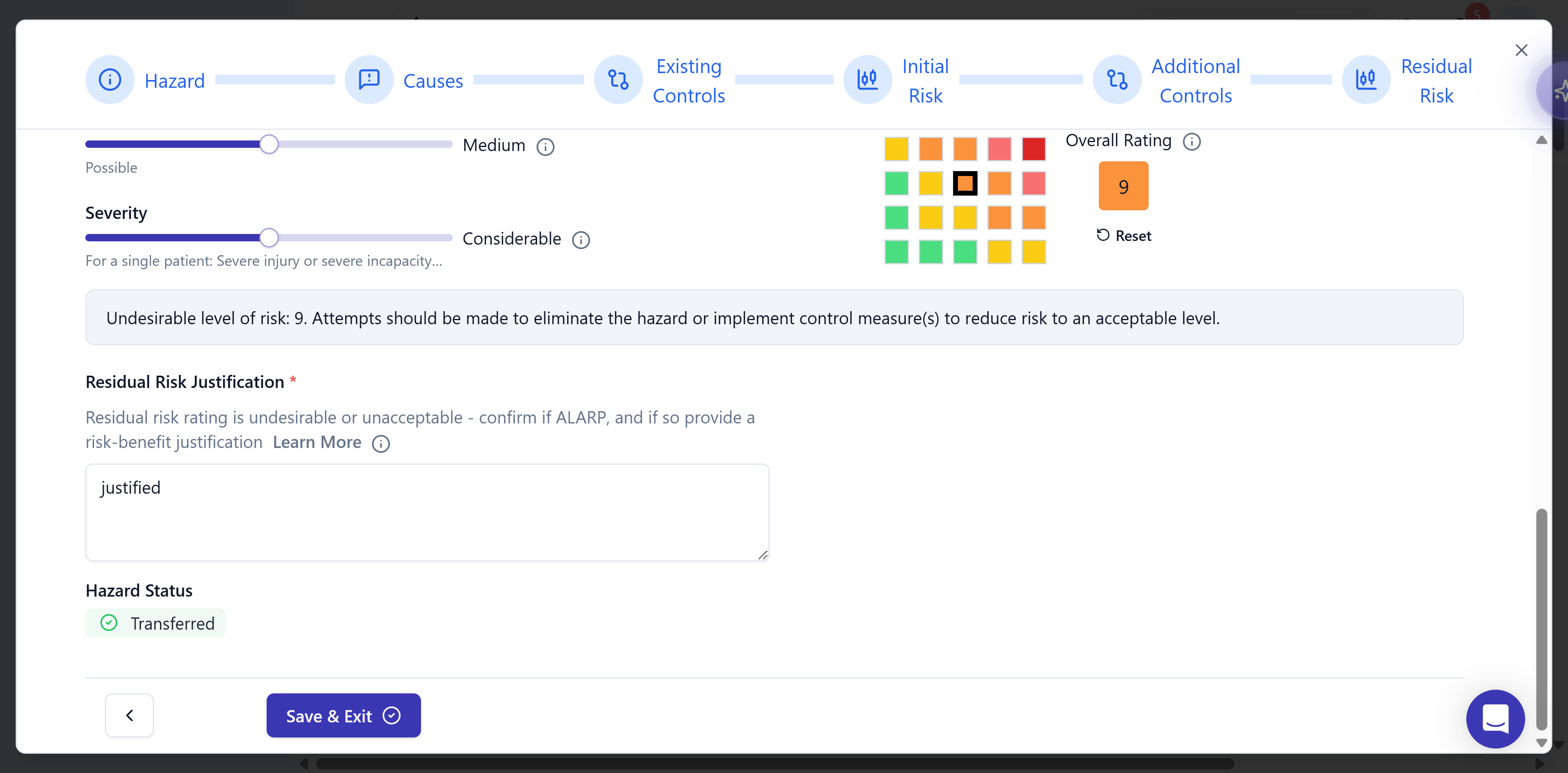
The Residual Risk stage in a workspace that multiplies likelihood by severity. A score of 9 is undesirable, so the banner appears and the justification is required. It's filled in here.
Score residual risk on the controls you’ve built
An assessor will spot residual ratings that assume controls you haven’t built. Keep Control Status accurate, and re-check the rating once a control is built.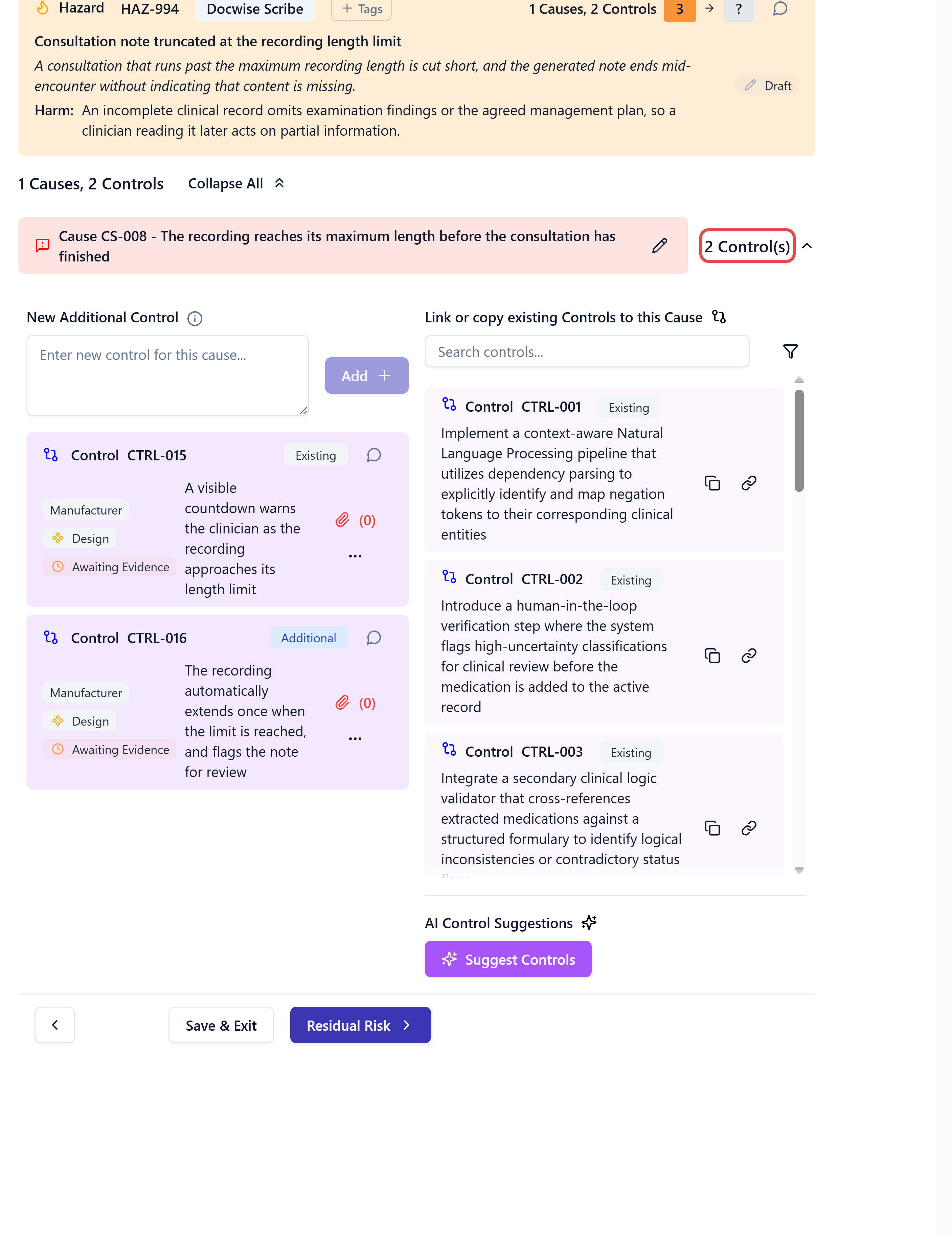
A cause with 2 controls, both with Control Status set to Awaiting Evidence. Make sure each control is in place before the residual rating counts on it.
Related articles
Create a hazard
Score the initial and residual risk as you add a hazard.
Hazard log overview
How the hazard log fits together, and how to read its table.