

Quick summary
- When you send a log to someone, send an approved version, not the working log.
- Customers download approved versions from your Trust Centre.
Every export route
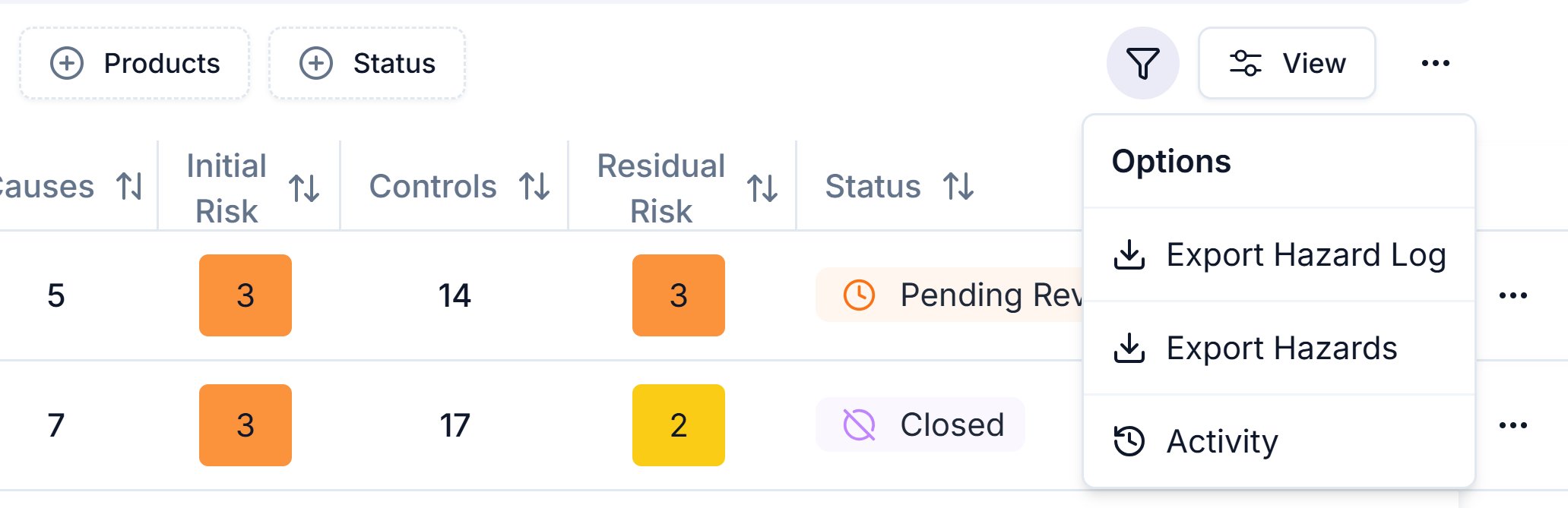
The Hazard Log page's Export options menu: Export Hazard Log, Export Hazards and Activity.
Working log or approved version
Your working log changes every time someone edits it. A version doesn’t:- it’s a saved, approved copy of one product’s log, and its hazards never change;
- it carries a number, an approver and a date, so a recipient knows what they hold.
- Export Hazard Log: pick a product or All products, then click Export. You get 2 sheets per product, one in Assuric’s layout and one in the NHS hazard log template layout. The NHS sheet leaves out the cover, version history, transferred controls sheet and risk matrix; to get those, save a version and download it.
- Export Hazards: downloads the hazards table straight away. It follows your search, leaves out archived hazards, and shows causes and controls as counts.
What customers download
Customers read a published hazard log on screen or download it as Excel workbooks, always from approved versions. On the bundle page, Download All asks how to download every product in it:
Each product version’s workbook has these sheets:
Evidence on a control appears as a named link to the file or URL.
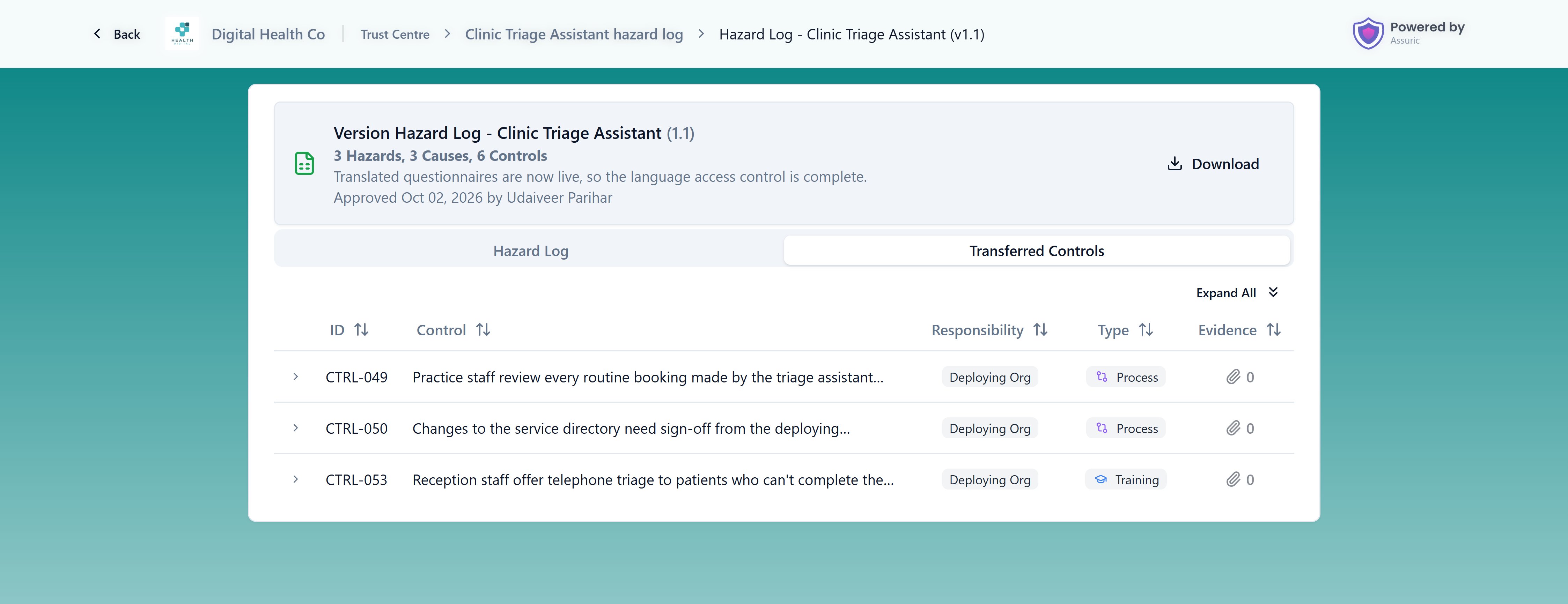
The Transferred Controls tab on a published product page, listing every control set to Deploying Org.
Related articles
Approve and version your hazard log
Save an approved version to export or publish.
Share and publish your hazard log
Give customers a link instead of a file.