

Quick summary
- Assuric suggests each hazard’s ID from the pattern your first hazard sets, so decide it before you start, especially with several products.
- Hazards and controls come with default statuses, and any status you add is available across every product.
- Name each status so it makes sense without its colour, which means nothing to an assessor reading an exported log.
Hazard IDs
Every hazard has an ID, such asHAZ-001. Assuric suggests the next one when you create a hazard, and you can change it if needed.
The ID format follows the pattern your first hazard sets.
- Give your first hazard the pattern you want, for example
HAZ-APT-001for a product called Appointment Manager. - Assuric suggests the next number in that pattern.
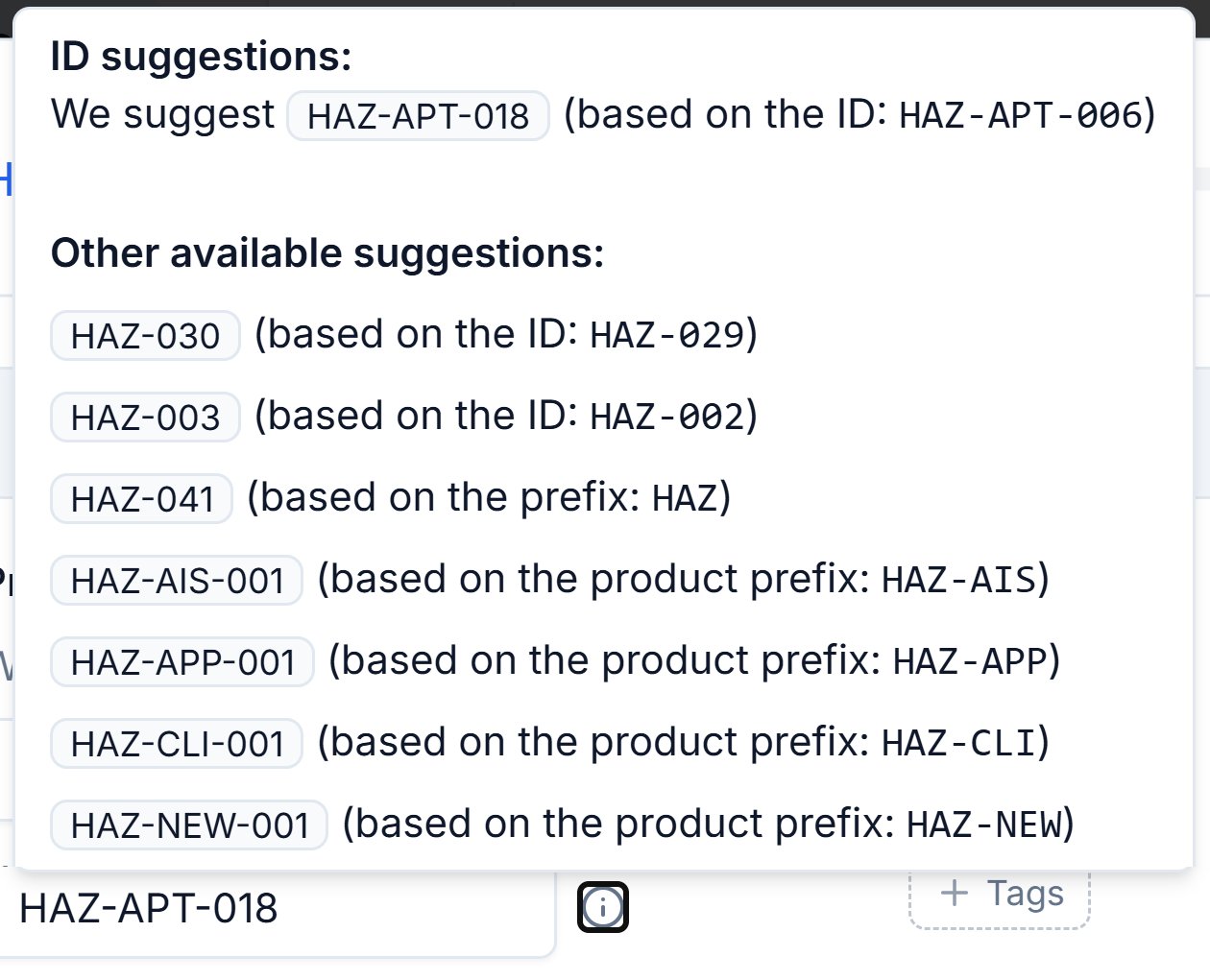
The Hazard ID suggestions on a new hazard. The first follows the product's existing pattern; the product prefixes start a new one.
Statuses
Assuric’s default statuses are a starting point: you can add your own to hazards and controls. Incidents have their own statuses, which you can customise too (see Statuses). The default hazard statuses are:
Controls have their own statuses: Awaiting Evidence and Done.
To create a status:
1
Click Create New
Open a status dropdown on a hazard or a control and click Create New.
2
Name it and choose how it looks
Name it, then pick a colour and icon from the library. Once saved, it’s available across every product in your workspace.
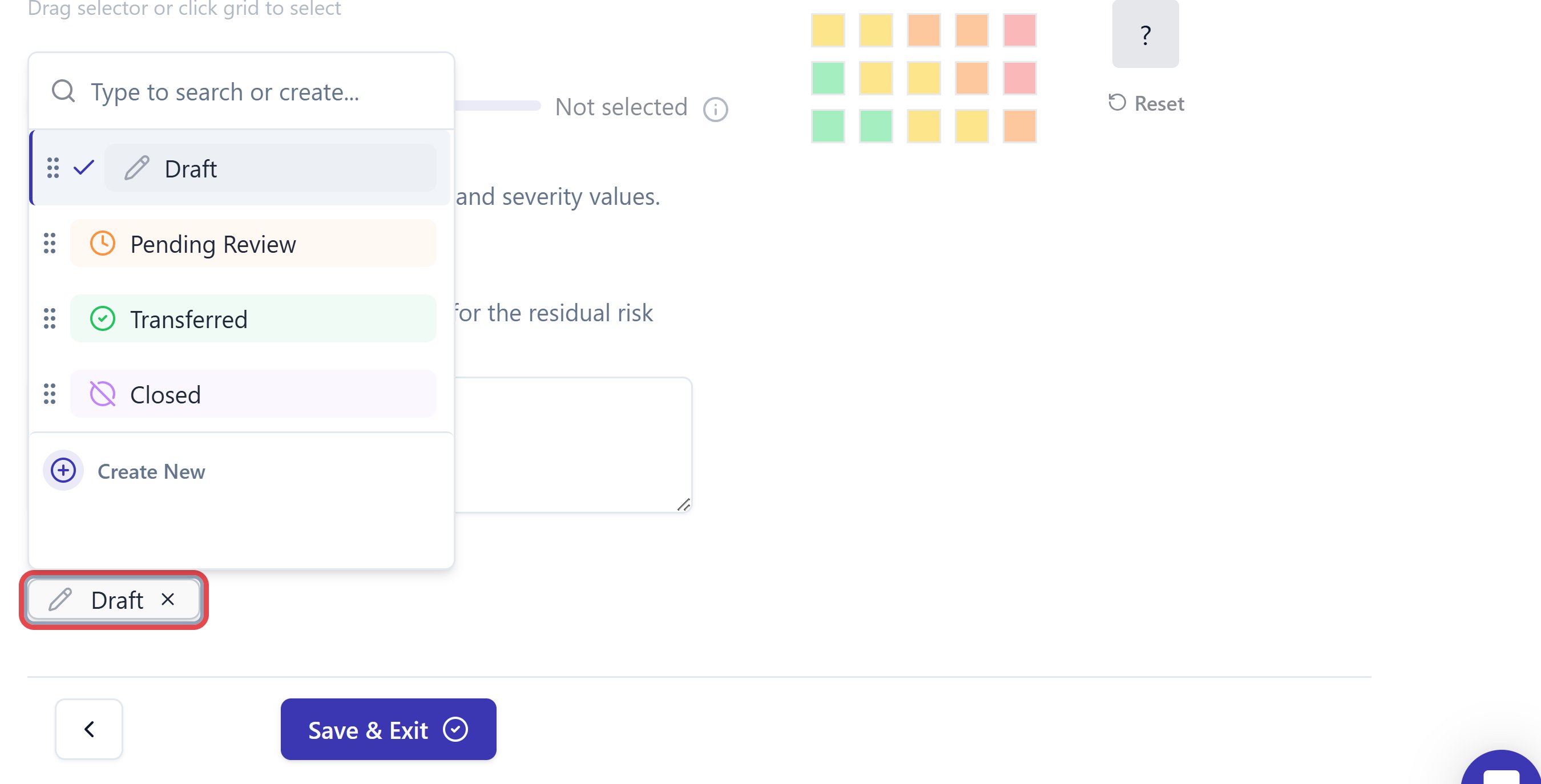
The status control on a hazard, currently set to Draft.
Related articles
Create a hazard
Add a hazard, set its ID, score it and choose its status.
Hazard log overview
How the hazard log fits together, and how to read its table.