

Quick summary
- Clinical safety documents are ordinary Assuric documents, but the hazard log is a log of its own, with its own approval.
- A live Hazard Log Summary table shows the hazards a document must discuss, and updates as your hazard log changes.
- An approved version freezes its Hazard Log Summary rows, so an approved CSCR records the hazard log at sign-off.
Clinical safety documents
DCB0129’s safety case has 3 deliverables, and customers usually ask for all three (see Choosing what to publish).The live hazard log table
The Hazard Log Summary is a live table of rows from your hazard log, and it updates when the log changes. To add one, type@ in the editor or click Placeholders in the toolbar, then pick Hazard Log Summary under Tables.
Click the table to configure it:
- Filters: Filter by Products, Filter by Status and Filter by Risk Level. The last has 2 switches, Undesirable initial risk and Undesirable residual risk. Each keeps hazards rated undesirable or unacceptable, and with both on, a hazard must meet both.
- Columns and Appearance: as for any live table.
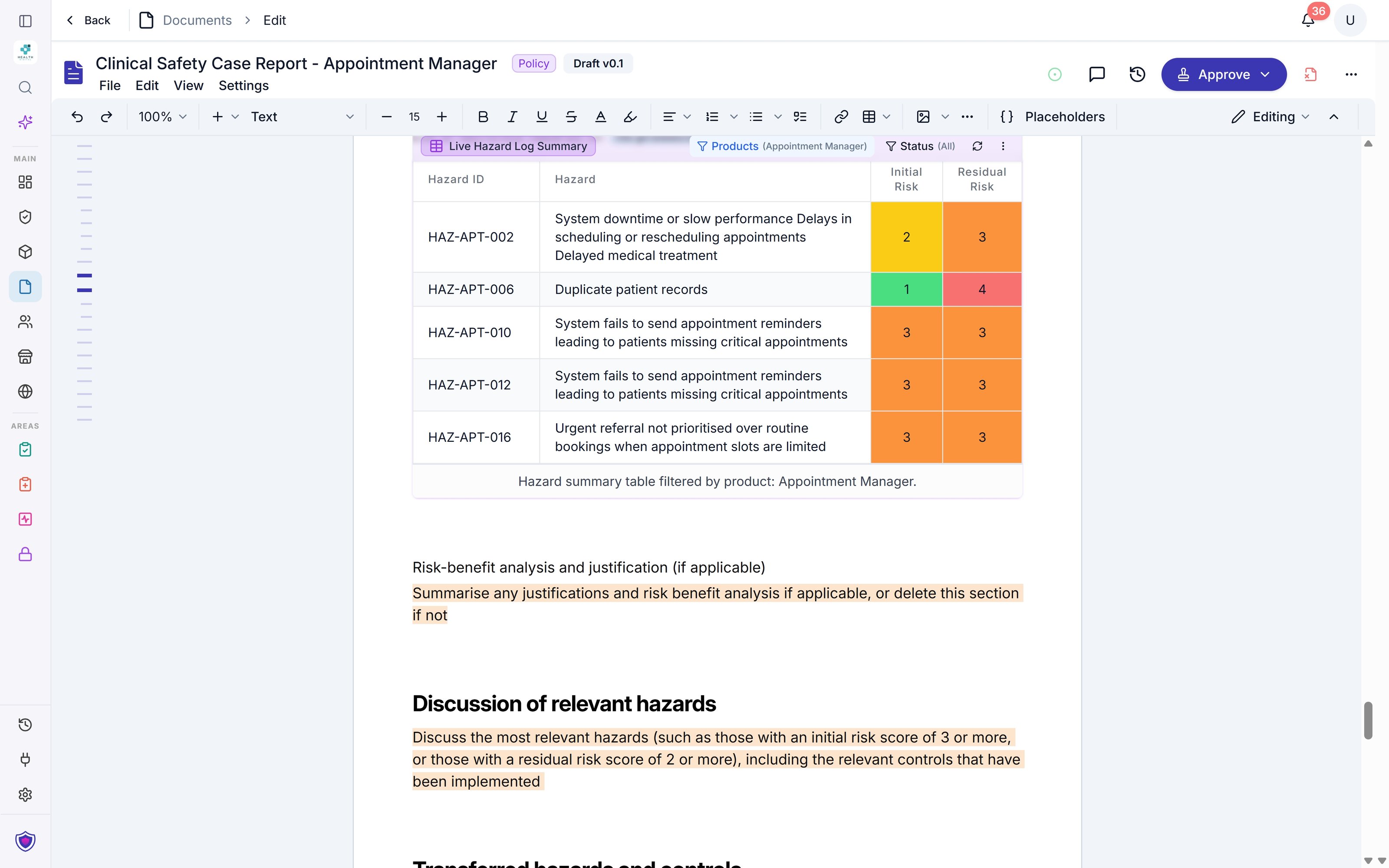
A CSCR draft with its Hazard Log Summary filtered to Appointment Manager. The bar above the table shows the product and status filters.
- Acceptable (1 and 2)
- Undesirable (3)
- Unacceptable (4 and 5)
Placeholders, content blocks and version tables
Clinical documentation pages
Create your CRMP and CSCR, then edit, approve and publish them.Related articles
Keep documents current with placeholders
Insert placeholders, configure a live table, and create your own blocks.
Clinical safety case report
Create your CSCR, with the hazard log pulled in.