

Quick summary
- Create your CSCR, usually one per product, from a template in Templates or your own file.
- A live Hazard Log Summary keeps the report’s hazards current, filtered to its product and risk.
- In Tasks, a product can have 2 CSCR tasks: completing and maintaining the report, and your CSO’s sign-off.
Create it in Assuric
1
Find the template
Go to Documents and open the Templates tab. In Assuric Templates, find [TEMPLATE] Clinical Safety Case Report.
2
Create it from the template
Click Create from template on its row, then:
- Fill in the document’s details, permissions and review schedule.
- Set Products to the product the report covers.
- Tick Controlled if it needs a formal review and approval cycle.
.docx, .doc or .xlsx, up to 50 MB), then replace a pasted hazard table with a live one, and repeated values with placeholders.
With several products, clone your first CSCR to a template so you don’t rebuild its structure (⋯ → Clone to template on the Documents tab), then start each other report from it.
Assuric features for your CSCR
To edit, approve and publish the report, see Manage, approve and publish clinical documents.
The CSCR as a task
Filter Tasks for “Safety Case Report” and the Product group expands into each product’s CSCR tasks.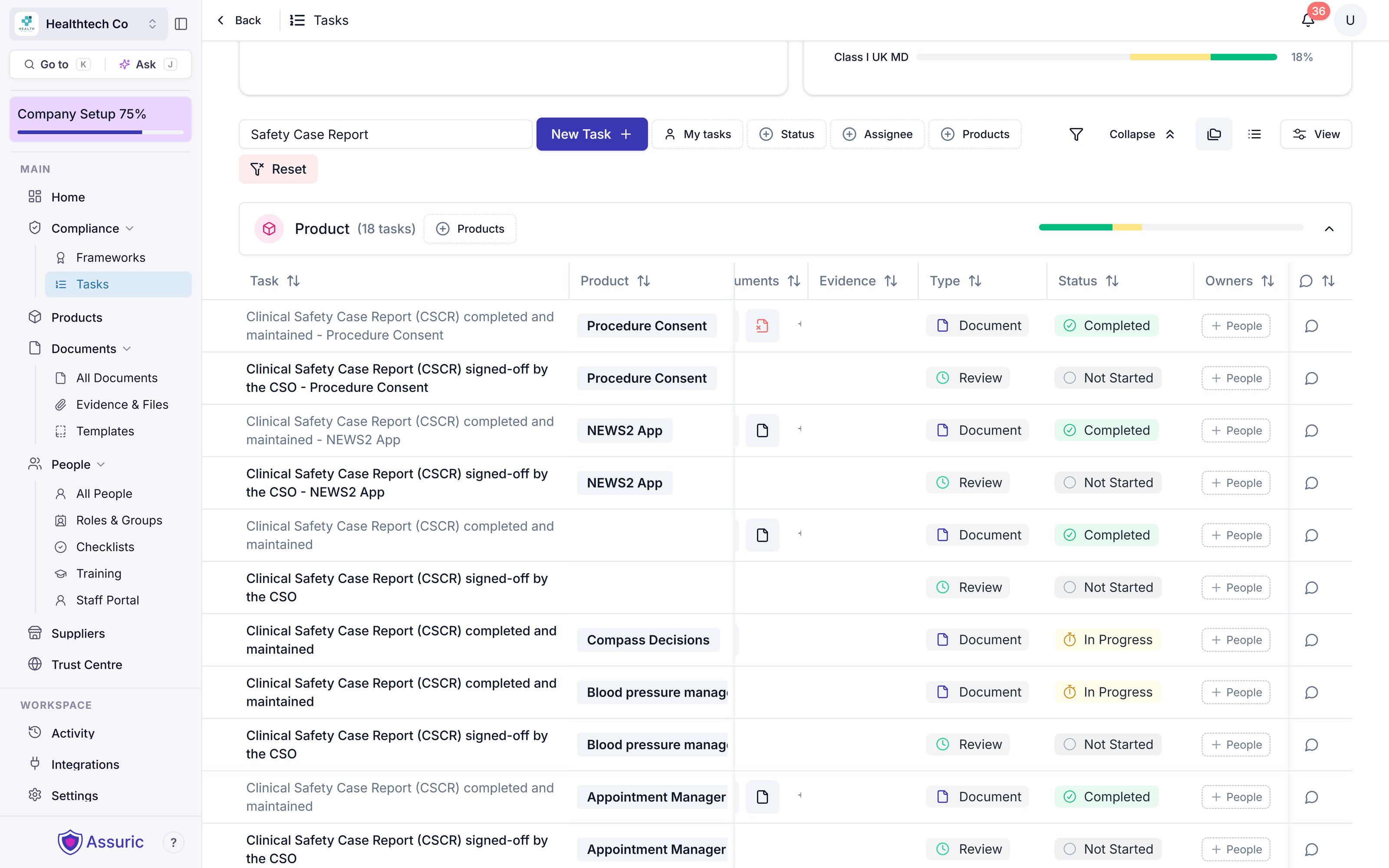
The Clinical Safety Case Report task, filtered and expanded. Each product (Procedure Consent, NEWS2 App, Appointment Manager and others) has a completed-and-maintained task and a signed-off-by-the-CSO task. A product can be missing one: Compass Decisions has only the first.
What goes in a CSCR
Which hazards the CSCR discusses
Sign-off and keeping the CSCR current
Related articles
Clinical documentation
The Assuric features that keep clinical safety documents current.
Manage, approve and publish clinical documents
Edit, version, approve and publish your CSCR.