> ## Documentation Index
> Fetch the complete documentation index at: https://docs.assuric.com/llms.txt
> Use this file to discover all available pages before exploring further.
# Trust Centre: Overview
> Publish your compliance evidence to a public page customers and governance teams can check themselves.
**Quick summary**
* Customers and NHS governance teams find your compliance evidence themselves on your public Trust Centre.
* A document must be *Approved* in **Documents**, and a hazard log published, before either can go on your Trust Centre.
* Each resource is public or behind an access request that an admin approves.
## What Trust Centre is for
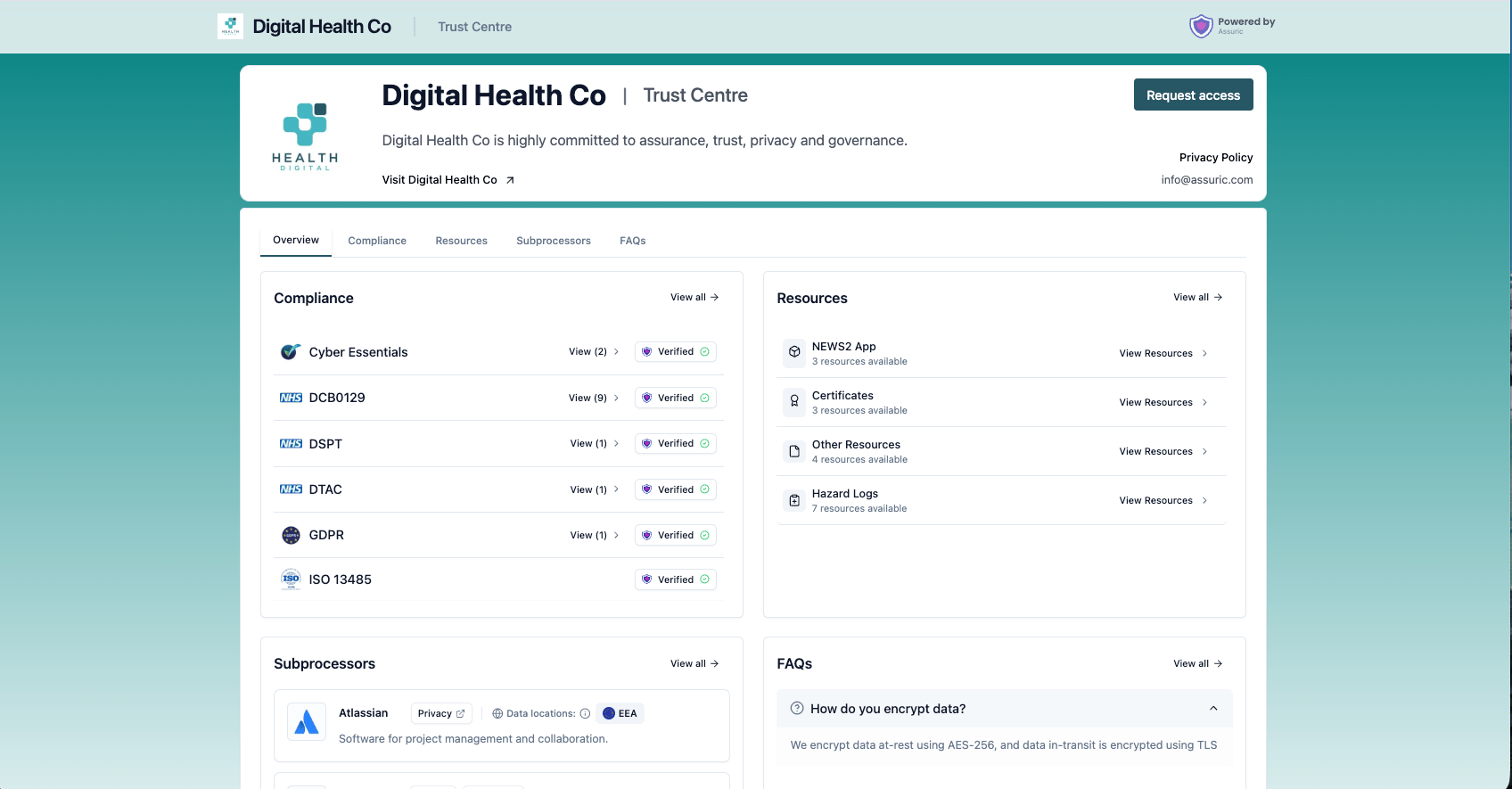
Customers keep asking for the certificate, the policy, the hazard log. Trust Centre is a public page you organise once and keep current, at `trust.assuric.com/{your-workspace}/public` or your own domain, so they don't have to email you.
An authored document has to be *Approved* in Documents first, and a hazard log explicitly published, before either can appear here.
## Open Trust Centre
Open **Trust Centre** in the sidebar.
 ## What you can do here
| Capability | What it's for | Read more |
| - | - | - |
| **Set up and publish** | Add resources, organise them into folders or views, and go live | [Setting up your Trust Centre](/trust-centre/setting-up) |
| **Brand it** | Your logo and banner, plus your own domain instead of `trust.assuric.com` | [Branding and custom domain](/trust-centre/branding-and-custom-domain) |
| **Choose what to publish** | The documents customers ask for, hazard logs, framework badges and subprocessors | [Choosing what to publish](/trust-centre/what-to-publish) |
| **Control access** | Public versus gated resources, who approves a request, and expiry | [Access requests and who can see what](/trust-centre/access-control) |
| **Keep it current** | Update a published document and notify the people who already hold it | [Notify stakeholders of updates](/trust-centre/updates-and-notifications) |
| **Take incident reports** | Let customers, partners, patients and clinicians report incidents straight into your incident log, once you switch it on | [Set up incident reporting](/clinical-safety/reporting-an-incident) |
## What it connects to
| Connects to | How |
| - | - |
| **Documents** | A document must be *Approved* before it can be published as a resource |
| **Clinical Safety** | A hazard log publishes directly, as a readable web view instead of a PDF attachment |
| **People** | Any admin can approve an access request, and each admin sets their own notification preferences |
| **Notifications** | Trust Page Requests is [a notification category in its own right](/notifications/what-triggers-a-notification) |
## Related articles
Add your resources, organise them, and publish.
Which documents customers ask for, and the approval step people miss.
Public documents, access requests, expiry dates and who approves.
This documentation is built and hosted on [Mintlify](https://mintlify.com), a developer documentation platform.
## What you can do here
| Capability | What it's for | Read more |
| - | - | - |
| **Set up and publish** | Add resources, organise them into folders or views, and go live | [Setting up your Trust Centre](/trust-centre/setting-up) |
| **Brand it** | Your logo and banner, plus your own domain instead of `trust.assuric.com` | [Branding and custom domain](/trust-centre/branding-and-custom-domain) |
| **Choose what to publish** | The documents customers ask for, hazard logs, framework badges and subprocessors | [Choosing what to publish](/trust-centre/what-to-publish) |
| **Control access** | Public versus gated resources, who approves a request, and expiry | [Access requests and who can see what](/trust-centre/access-control) |
| **Keep it current** | Update a published document and notify the people who already hold it | [Notify stakeholders of updates](/trust-centre/updates-and-notifications) |
| **Take incident reports** | Let customers, partners, patients and clinicians report incidents straight into your incident log, once you switch it on | [Set up incident reporting](/clinical-safety/reporting-an-incident) |
## What it connects to
| Connects to | How |
| - | - |
| **Documents** | A document must be *Approved* before it can be published as a resource |
| **Clinical Safety** | A hazard log publishes directly, as a readable web view instead of a PDF attachment |
| **People** | Any admin can approve an access request, and each admin sets their own notification preferences |
| **Notifications** | Trust Page Requests is [a notification category in its own right](/notifications/what-triggers-a-notification) |
## Related articles
Add your resources, organise them, and publish.
Which documents customers ask for, and the approval step people miss.
Public documents, access requests, expiry dates and who approves.
This documentation is built and hosted on [Mintlify](https://mintlify.com), a developer documentation platform.