> ## Documentation Index
> Fetch the complete documentation index at: https://docs.assuric.com/llms.txt
> Use this file to discover all available pages before exploring further.
# Quality: Overview
> Understand what the Quality section covers and how it's structured.
**Quick summary**
* Quality is your QMS for ISO 13485 and ISO 9001, built to stand up to an ISO audit.
* Assuric enables ISO 9001 or ISO 13485 for you; you can't turn either on yourself.
* Auditors get read-only access, so there's nothing to export when the certification body arrives.
## Open Quality
In the sidebar, under **Areas**, click **Quality** if your workspace has access.
Its frameworks are also under **Compliance** → **Frameworks**: **ISO 9001** or **ISO 13485**, whichever Assuric has enabled for your workspace. You can't turn one on yourself.
## The frameworks Quality follows
**ISO 13485** is the quality management standard certification bodies and regulators expect if you make, develop or supply a medical device.
**ISO 9001** is the general standard. ISO 13485 shares much of its structure, so if you're certified to both, you run one quality management system (QMS). ISO 13485 adds substantially more, most of it scoped per product.
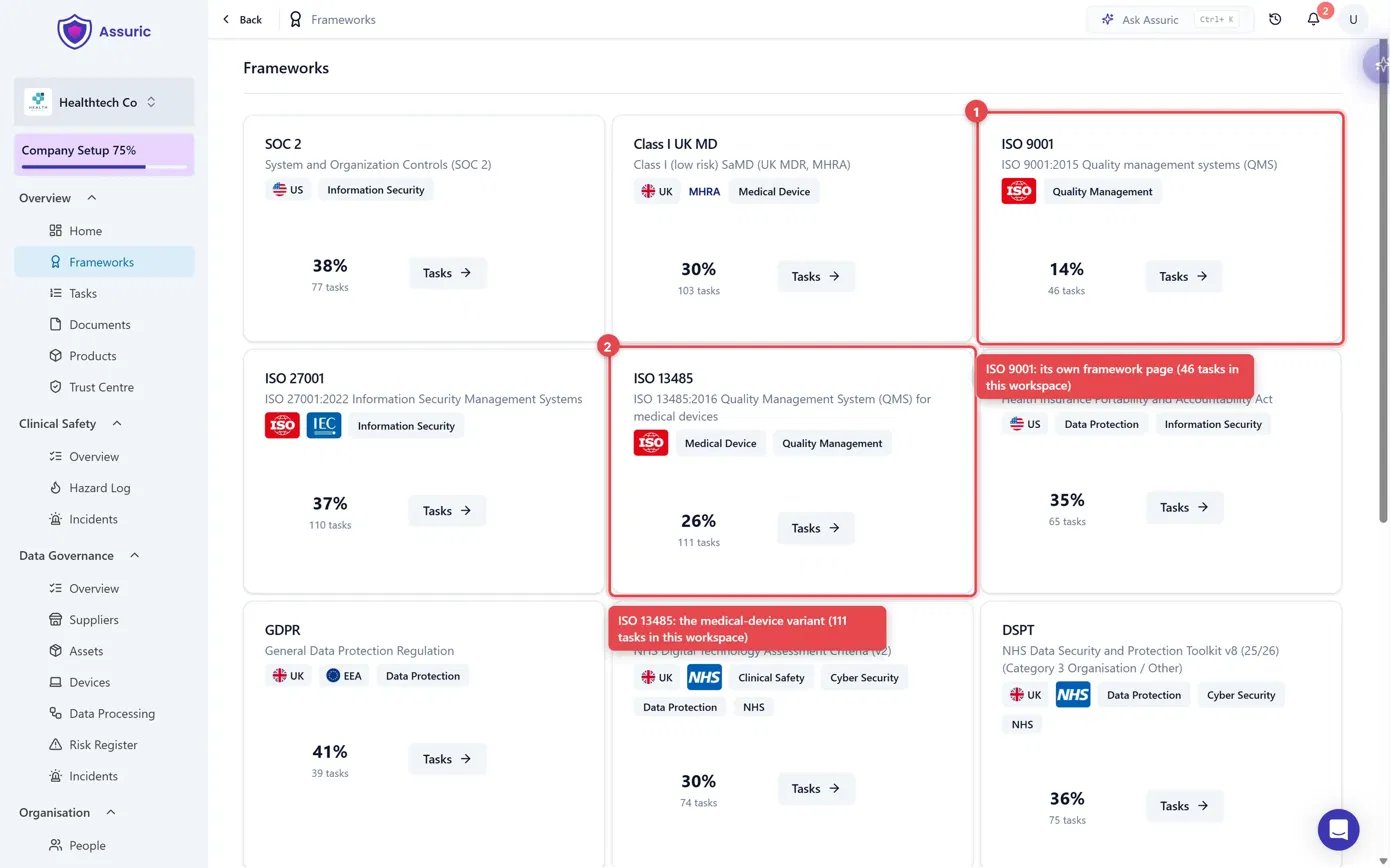 *ISO 9001 (1) and ISO 13485 (2) each sit on the same grid as every other framework in your workspace, with their own percentage complete and task count.*
Each standard's clauses are on its **Requirements** tab, backed by tasks, so working through the tasks builds a complete QMS that traces every piece to its clause.
## Who owns what
Assuric ships a written definition for each QMS role, on the **Roles** tab under **People** → **Roles & Groups**. [Permissions and access](/people/permissions-and-access) explains how roles differ from permission levels.
## What Assuric does automatically
Evidence is collected as you work, so there's nothing to export.
## What's in this section
| Page | |
| - | - |
| [Procedures and records](/quality/procedures-and-records) | Procedures as documents behind policy tasks, and capturing records against them |
| [Controlled documents](/quality/controlled-documents) | Making a document controlled, starting a review cycle, and responding as a reviewer or approver |
| [Review cycle and statuses](/quality/review-cycle-and-statuses) | The cycle's statuses, version numbers, who reviews and approves, and e-signatures |
| [CAPA and non-conformances](/quality/capa-and-non-conformances) | What Assuric tracks for corrective and preventive action today, and what is still being built |
| [Give an auditor access](/quality/auditor-access) | Setting up a View-only account for an internal or external auditor |
| [Audit and review records](/quality/audit-and-review-records) | How audit, management review and complaints are tracked |
| [Quality FAQ](/quality/faqs) | Quick answers to the things customers ask us most |
## Related articles
The document library every procedure lives in.
The standard roles, and what roles are used to assign.
How the Requirements/Tasks split works across every area.
This documentation is built and hosted on [Mintlify](https://mintlify.com), a developer documentation platform.
*ISO 9001 (1) and ISO 13485 (2) each sit on the same grid as every other framework in your workspace, with their own percentage complete and task count.*
Each standard's clauses are on its **Requirements** tab, backed by tasks, so working through the tasks builds a complete QMS that traces every piece to its clause.
## Who owns what
Assuric ships a written definition for each QMS role, on the **Roles** tab under **People** → **Roles & Groups**. [Permissions and access](/people/permissions-and-access) explains how roles differ from permission levels.
## What Assuric does automatically
Evidence is collected as you work, so there's nothing to export.
## What's in this section
| Page | |
| - | - |
| [Procedures and records](/quality/procedures-and-records) | Procedures as documents behind policy tasks, and capturing records against them |
| [Controlled documents](/quality/controlled-documents) | Making a document controlled, starting a review cycle, and responding as a reviewer or approver |
| [Review cycle and statuses](/quality/review-cycle-and-statuses) | The cycle's statuses, version numbers, who reviews and approves, and e-signatures |
| [CAPA and non-conformances](/quality/capa-and-non-conformances) | What Assuric tracks for corrective and preventive action today, and what is still being built |
| [Give an auditor access](/quality/auditor-access) | Setting up a View-only account for an internal or external auditor |
| [Audit and review records](/quality/audit-and-review-records) | How audit, management review and complaints are tracked |
| [Quality FAQ](/quality/faqs) | Quick answers to the things customers ask us most |
## Related articles
The document library every procedure lives in.
The standard roles, and what roles are used to assign.
How the Requirements/Tasks split works across every area.
This documentation is built and hosted on [Mintlify](https://mintlify.com), a developer documentation platform.