> ## Documentation Index
> Fetch the complete documentation index at: https://docs.assuric.com/llms.txt
> Use this file to discover all available pages before exploring further.
# Give an auditor access
> Set up a View-only account for an internal or external auditor.
**Quick summary**
* Auditors get a *View-only* account, which lets them open any framework, task or requirement but not change anything.
* A *View-only* account sees the whole workspace, not only the framework being audited.
* There's no built-in auditor account, so you invite each auditor yourself.
Give an auditor a *View-only* account.
A *View-only* account can see everything in the workspace, not only the framework being audited. Only invite someone you're content to give that visibility.
Go to **People**, then **Add People**.
Enter their email and name, set *Permissions* to *View-only* and select **Invite**.
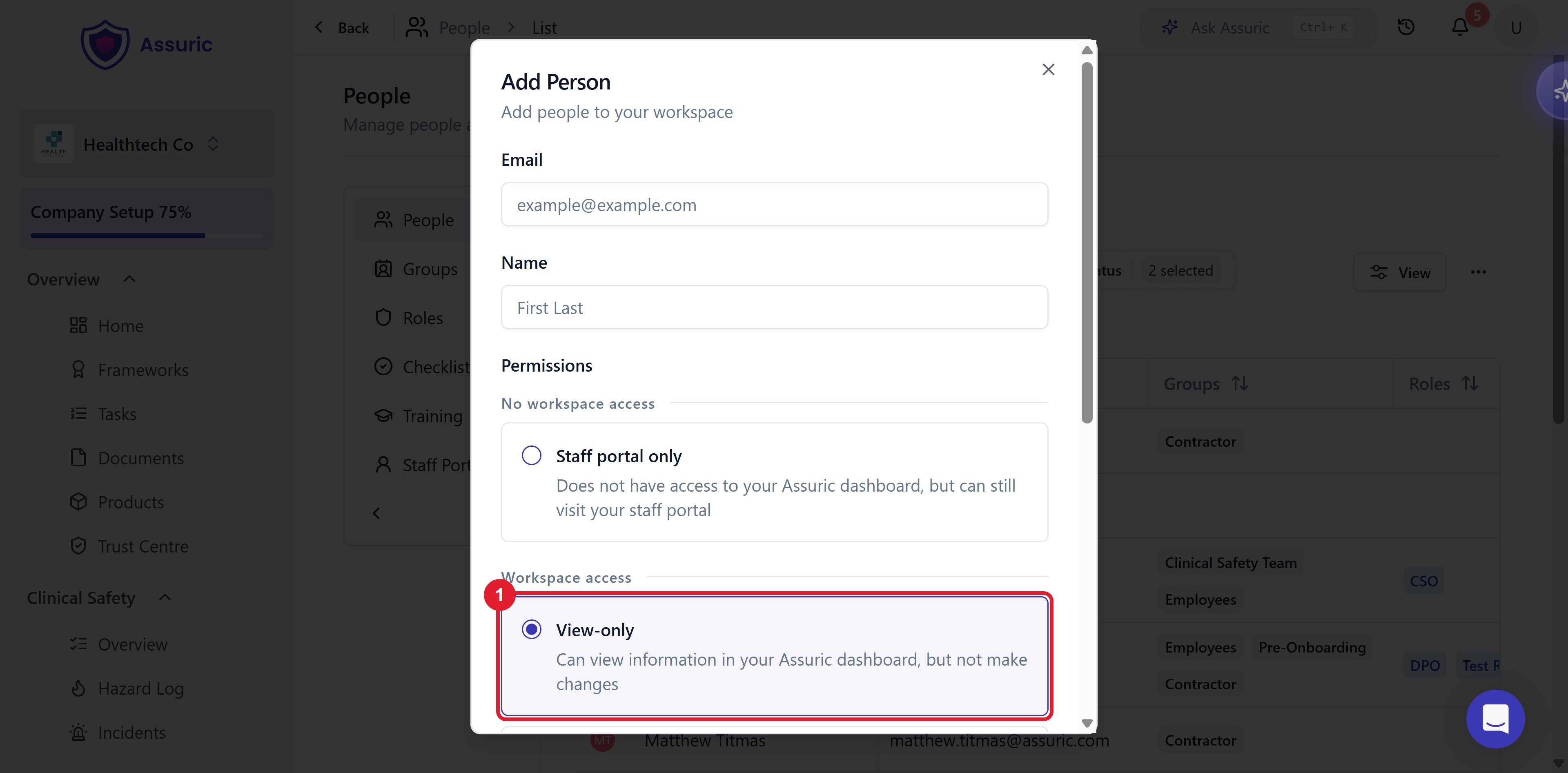 *View-only sees the workspace and changes nothing.*
### What you see next
| State | What it means |
| - | - |
| *Invited* | The invitation is sent but not accepted, so the auditor can't sign in |
| *Accepted* | The auditor can open any framework, task or requirement but can't change anything |
| No auditor listed | There is no default or built-in auditor account |
Add your auditor a week early, so they can find their way around and you can tidy up first.
## Related articles
What the auditor will be asking for.
The View-only level, and what it does and doesn't unlock.
This documentation is built and hosted on [Mintlify](https://mintlify.com), a developer documentation platform.
*View-only sees the workspace and changes nothing.*
### What you see next
| State | What it means |
| - | - |
| *Invited* | The invitation is sent but not accepted, so the auditor can't sign in |
| *Accepted* | The auditor can open any framework, task or requirement but can't change anything |
| No auditor listed | There is no default or built-in auditor account |
Add your auditor a week early, so they can find their way around and you can tidy up first.
## Related articles
What the auditor will be asking for.
The View-only level, and what it does and doesn't unlock.
This documentation is built and hosted on [Mintlify](https://mintlify.com), a developer documentation platform.