> ## Documentation Index
> Fetch the complete documentation index at: https://docs.assuric.com/llms.txt
> Use this file to discover all available pages before exploring further.
# Risk register
> Identify, assess and treat information security risks, and track their controls and evidence.
**Quick summary**
* Each risk gets an *Inherent Risk* score before controls and a *Residual Risk* score after, from 1 to 25.
* Controls have their own tab, backed by *Security Controls* tasks and **Evidence & Files**.
## The three tabs
| Tab | What it holds |
| - | - |
| **Risks** | The risks you've added, each scored and tracked to treatment |
| **Controls** | The controls you apply against risks, and their own status |
| **Risk Library** | A prebuilt catalogue of risks by category, ready to add |
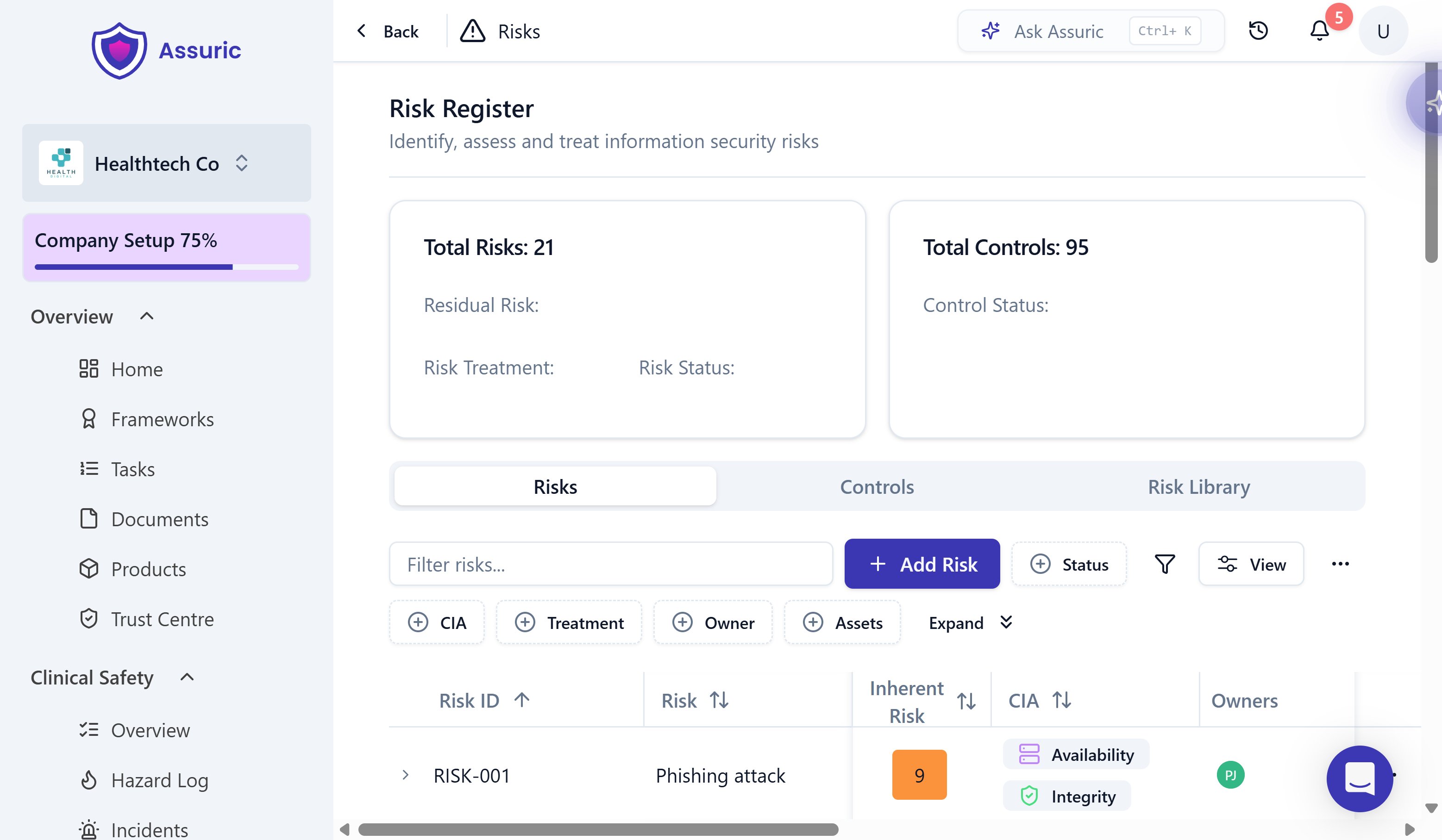 ## Add a risk
Click **Privacy & Security** in the sidebar, then **Risk Register**.
Open the **Risk Library** tab and add a prebuilt risk, AI-specific ones included, with one click, or **Add Risk** on the **Risks** tab to write your own.
## Add a risk
Click **Privacy & Security** in the sidebar, then **Risk Register**.
Open the **Risk Library** tab and add a prebuilt risk, AI-specific ones included, with one click, or **Add Risk** on the **Risks** tab to write your own.
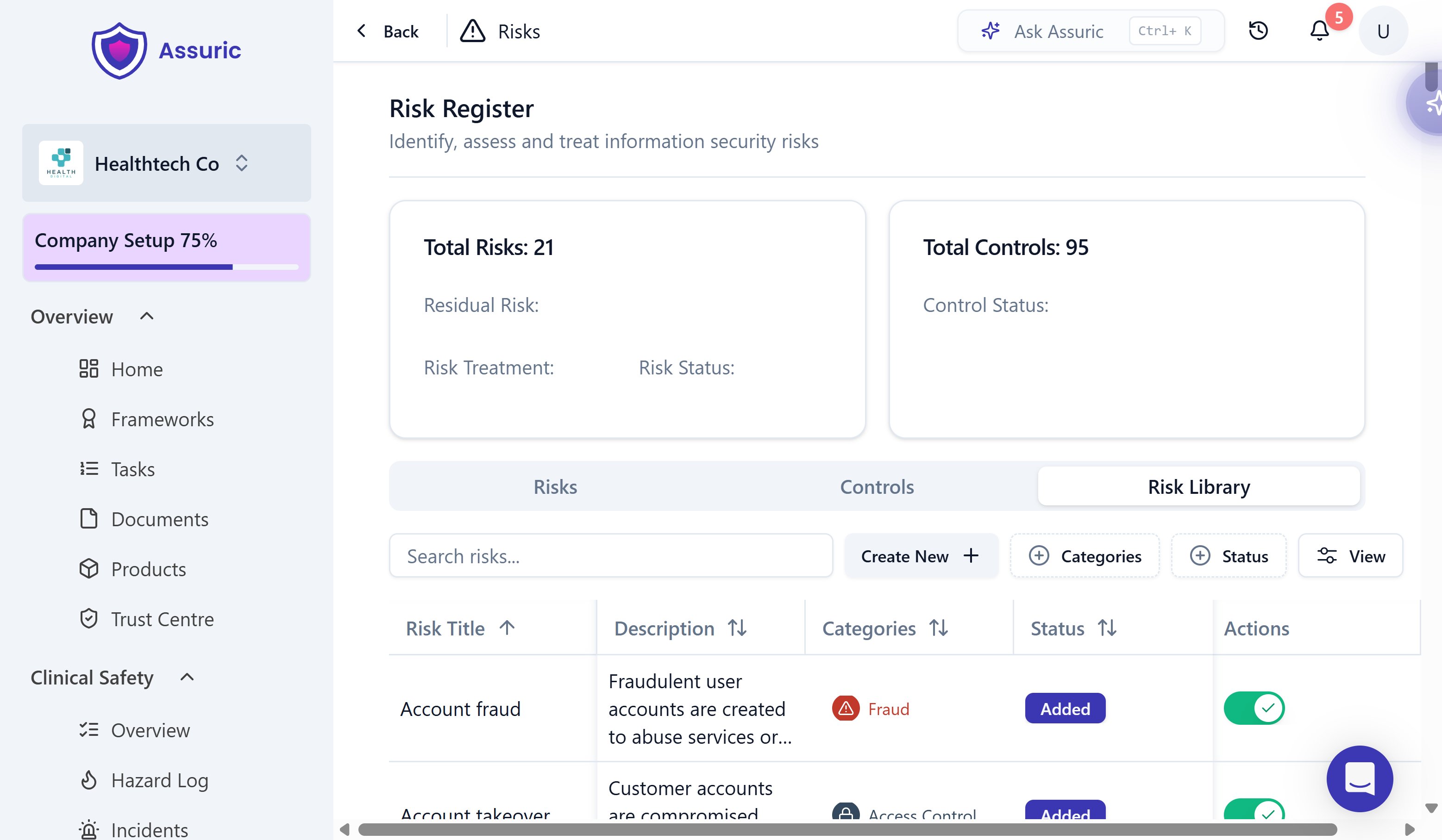 Set which of Confidentiality, Integrity or Availability (CIA) the risk threatens, and link the *Assets* it affects.
 Click the *Inherent Risk* score to open *Edit Risk*, then step through *Inherent Risk*, *Controls* and *Residual Risk*, using the levels in [How risks are scored](#how-risks-are-scored). The gap between *Inherent Risk* and *Residual Risk* shows what your controls achieve. Choose a *Risk Treatment* and click **Save & Exit**.
 ## How risks are scored
*Likelihood* times *Impact*, each 1 to 5, gives the *Overall Rating*, from 1 to 25. *Inherent Risk* and *Residual Risk* share the scale, and a grey ? badge means the risk isn't scored yet.
| Level | Likelihood | Impact |
| - | - | - |
| 1 | *Very Unlikely*: once in 10 years or more | *Insignificant*: no real impact, no breach |
| 2 | *Unlikely*: once in several years | *Minor*: limited disruption, negligible regulatory effect |
| 3 | *Possible*: about once a year | *Moderate*: noticeable disruption, may raise regulatory or legal concern |
| 4 | *Likely*: several times a year | *Major*: serious disruption, significant breach or financial loss |
| 5 | *Very Likely*: monthly or more | *Critical*: critical systems compromised, widespread breach |
**Badge colours:** green 1 to 4, yellow 5 to 6, orange 8 to 12, light red 15 to 16, red 20 to 25.
## Statuses and treatments
**Statuses:**
* *Open - Draft*
* *Open - Pending Review*
* *Done - Treated*
* *Done - Closed*
**Treatments:**
* *Mitigate*
* *Transfer*
* *Avoid*
* *Accept*
## Controls and evidence
* The **Controls** tab shows each control's *Status* (*Met*, *Partially Met* or *Not Met*), linked *Risks* and *Tasks*, and owner. Framework controls, such as ISO 27001 Annex A, sit alongside your own, and **New Control** adds one.
* *Security Controls* tasks track the work behind a control.
* Evidence for any control, incident or other requirement lives in Documents' **Evidence & Files** library.
## Incidents
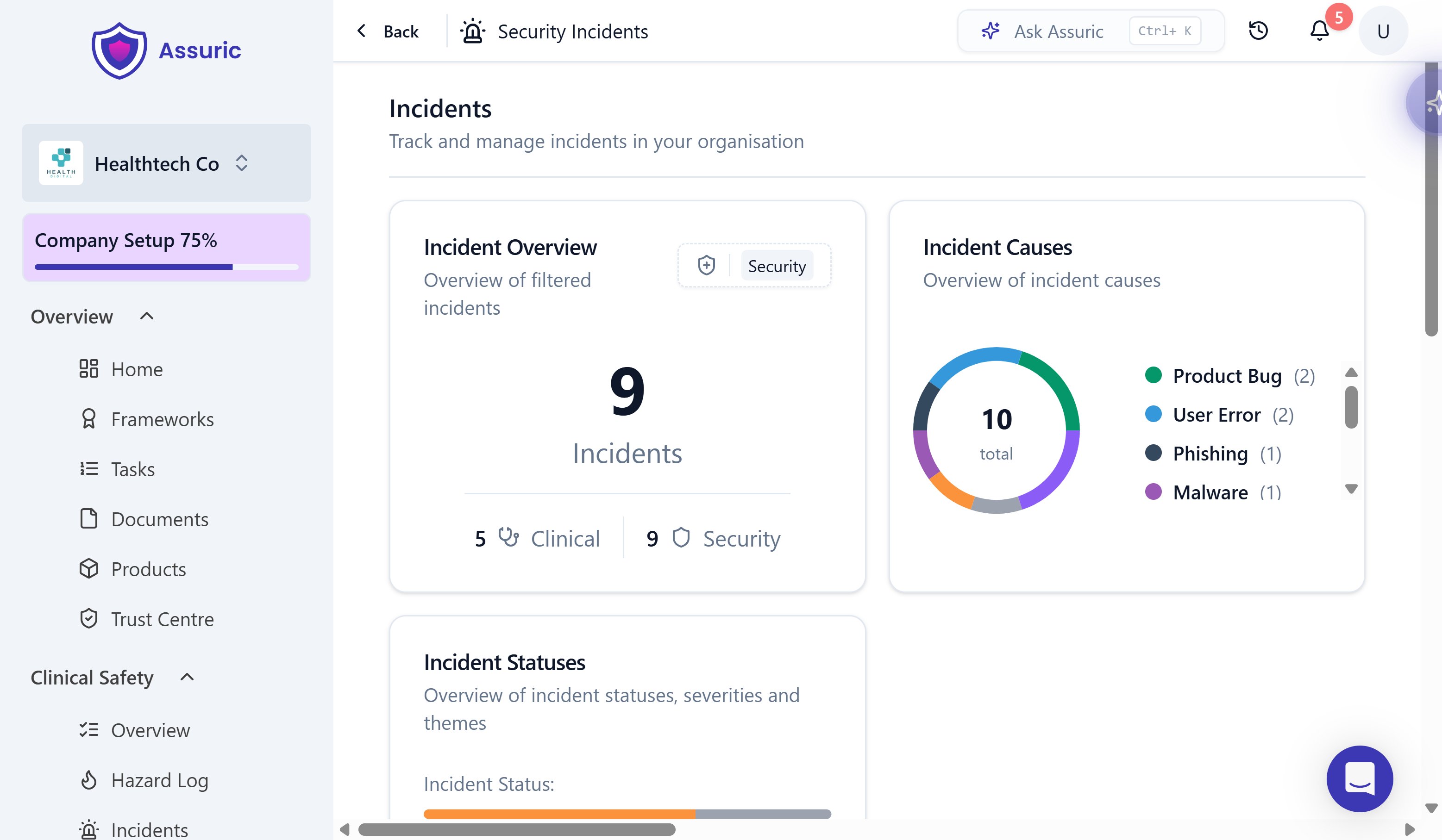
Security incidents link to the risks they realised, through *Mapped Risks*. Start with the [Incidents overview](/privacy-security/incidents-overview).
## How risks are scored
*Likelihood* times *Impact*, each 1 to 5, gives the *Overall Rating*, from 1 to 25. *Inherent Risk* and *Residual Risk* share the scale, and a grey ? badge means the risk isn't scored yet.
| Level | Likelihood | Impact |
| - | - | - |
| 1 | *Very Unlikely*: once in 10 years or more | *Insignificant*: no real impact, no breach |
| 2 | *Unlikely*: once in several years | *Minor*: limited disruption, negligible regulatory effect |
| 3 | *Possible*: about once a year | *Moderate*: noticeable disruption, may raise regulatory or legal concern |
| 4 | *Likely*: several times a year | *Major*: serious disruption, significant breach or financial loss |
| 5 | *Very Likely*: monthly or more | *Critical*: critical systems compromised, widespread breach |
**Badge colours:** green 1 to 4, yellow 5 to 6, orange 8 to 12, light red 15 to 16, red 20 to 25.
## Statuses and treatments
**Statuses:**
* *Open - Draft*
* *Open - Pending Review*
* *Done - Treated*
* *Done - Closed*
**Treatments:**
* *Mitigate*
* *Transfer*
* *Avoid*
* *Accept*
## Controls and evidence
* The **Controls** tab shows each control's *Status* (*Met*, *Partially Met* or *Not Met*), linked *Risks* and *Tasks*, and owner. Framework controls, such as ISO 27001 Annex A, sit alongside your own, and **New Control** adds one.
* *Security Controls* tasks track the work behind a control.
* Evidence for any control, incident or other requirement lives in Documents' **Evidence & Files** library.
## Incidents
Security incidents link to the risks they realised, through *Mapped Risks*. Start with the [Incidents overview](/privacy-security/incidents-overview).
 ## Related articles
The same initial-to-residual scoring, applied to clinical hazards.
The shared creation flow behind every incident, clinical or security.
The evidence library behind every control and incident.
Where Security Controls tasks fit among the other six categories.
This documentation is built and hosted on [Mintlify](https://mintlify.com), a developer documentation platform.
## Related articles
The same initial-to-residual scoring, applied to clinical hazards.
The shared creation flow behind every incident, clinical or security.
The evidence library behind every control and incident.
Where Security Controls tasks fit among the other six categories.
This documentation is built and hosted on [Mintlify](https://mintlify.com), a developer documentation platform.