> ## Documentation Index
> Fetch the complete documentation index at: https://docs.assuric.com/llms.txt
> Use this file to discover all available pages before exploring further.
# Training modules and completion status
> The training modules available in your workspace, and how to read who's completed, overdue or not yet assigned.
**Quick summary**
* You can see which training modules your workspace has, and who has completed their assigned training, is overdue or hasn't been assigned any.
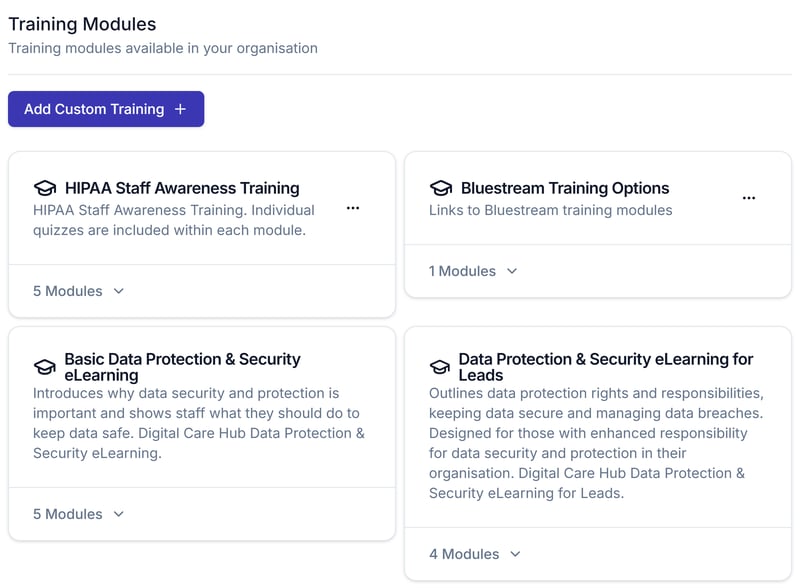
* Assuric has 2 built-in training courses, and any others in your workspace are custom ones added through [Add Custom Training](/people/training).
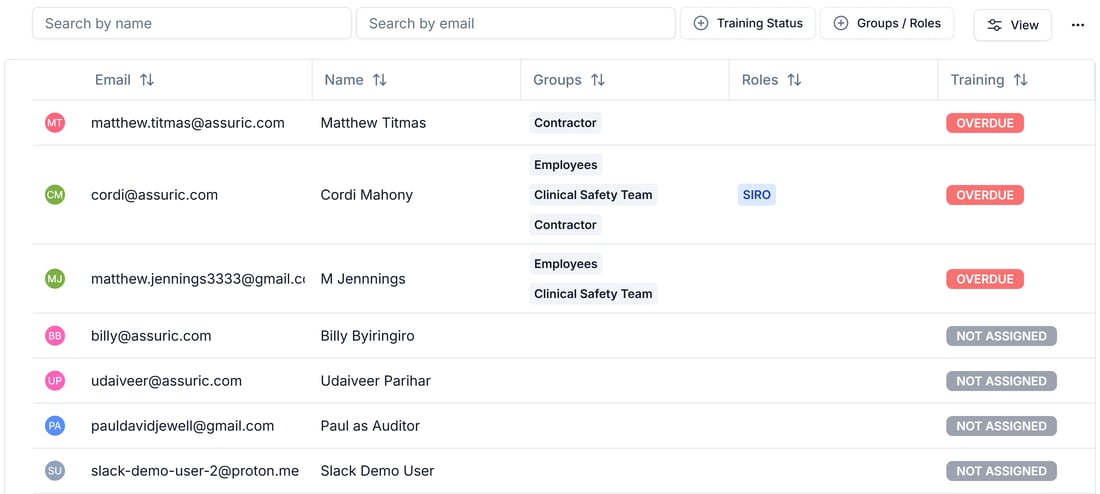
* Lots of people showing *Overdue* or *Not assigned* in the *Training Status* table usually means training hasn't reached everyone yet.
## Training modules
| Course | Modules | Source |
| - | - | - |
| **Basic Data Protection & Security eLearning** | 5 | Digital Care Hub's built-in introduction to why data security and protection matters and what staff should do to keep data safe |
| **Data Protection & Security eLearning for Leads** | 4 | Digital Care Hub's built-in course for people with enhanced responsibility for data security and protection |
Anything else listed is custom training added through **Add Custom Training**.
 ## Reading completion status
| Status | Meaning |
| - | - |
| **Completed** | Every module on every checklist item assigned to them is done |
| **Overdue** | At least one assigned module is outstanding past its due date |
| **Not assigned** | They have no training checklist item assigned to them at all |
In the *Training Status* table, lots of *Overdue* or *Not assigned* usually means training hasn't reached everyone yet.
## Reading completion status
| Status | Meaning |
| - | - |
| **Completed** | Every module on every checklist item assigned to them is done |
| **Overdue** | At least one assigned module is outstanding past its due date |
| **Not assigned** | They have no training checklist item assigned to them at all |
In the *Training Status* table, lots of *Overdue* or *Not assigned* usually means training hasn't reached everyone yet.
 ## Related articles
Add a custom module and attach it to a checklist.
Where training actually gets assigned to someone.
Accounts, groups, roles, checklists and training in one place.
This documentation is built and hosted on [Mintlify](https://mintlify.com), a developer documentation platform.
## Related articles
Add a custom module and attach it to a checklist.
Where training actually gets assigned to someone.
Accounts, groups, roles, checklists and training in one place.
This documentation is built and hosted on [Mintlify](https://mintlify.com), a developer documentation platform.