> ## Documentation Index
> Fetch the complete documentation index at: https://docs.assuric.com/llms.txt
> Use this file to discover all available pages before exploring further.
# What triggers a notification
> Every notification category, in both scopes, and exactly what fires it.
**Quick summary**
* **Personal Notifications** has 6 categories, from a scheduled digest to comment activity. **Organisation Notifications** has 3, admin-set and workspace-wide.
* *Trust Page Requests* and *Incidents* appear in both scopes. *Checklist reminders* is organisation-only, and all others are personal-only.
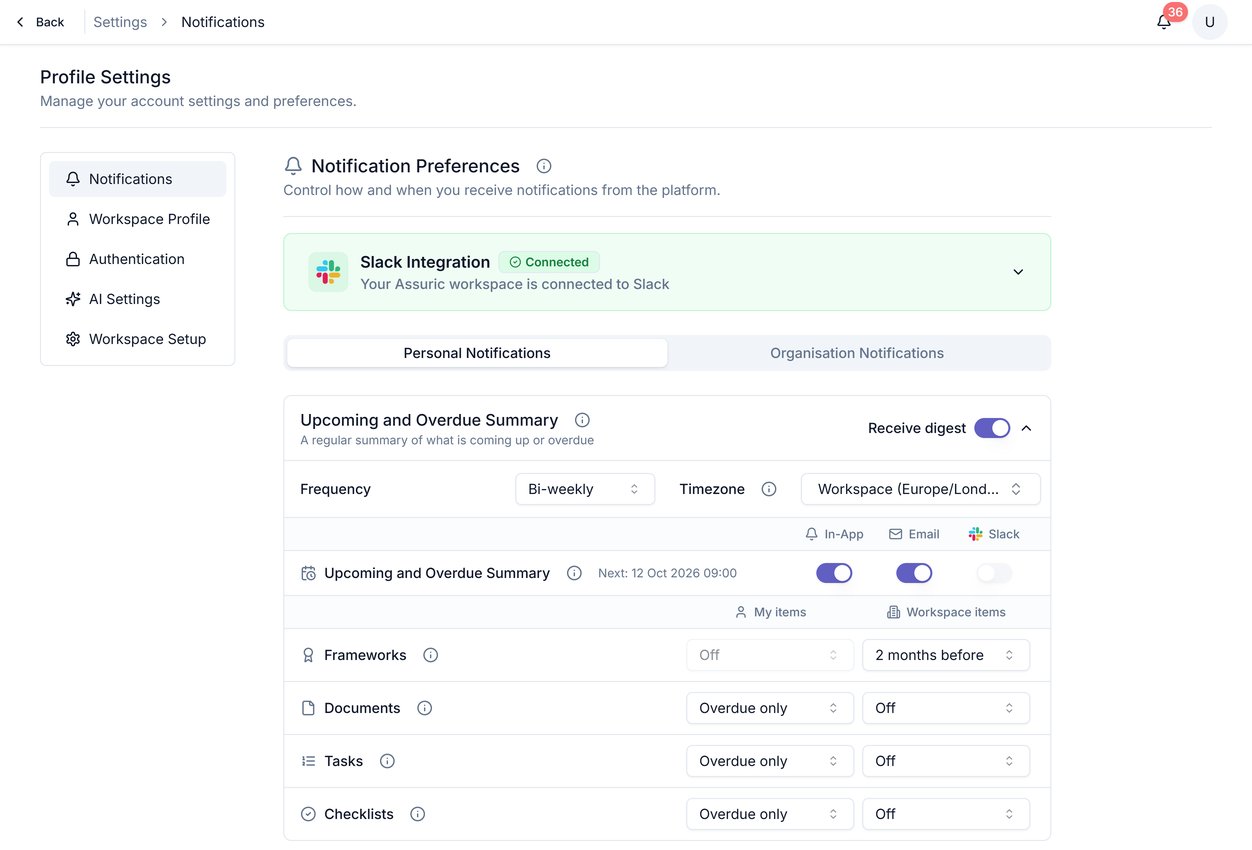 ## Personal Notifications
| Category | Triggers |
| - | - |
| **Upcoming and Overdue Summary** | A scheduled digest of what's coming up or overdue across Frameworks, Documents, Tasks and Checklists, not a per-event notification |
| **Comments and Mentions** | *Comment Mentions*, *Comment Replies* |
| **Document Activities** | *Document Review Requests* |
| **Document QMS Activities** | *Review Requests*, *Approval Requests*, *Review Failed*, *Approval Failed*, *Document Approved* |
| **Trust Page Requests** | *Trust Page Requests*, *Trust Page Request Responses* |
| **Incidents** | *Staff Reported Incidents*, *Trust Page Reported Incidents*, *Workspace Incidents* |
*Document Activities* covers only being asked to review a document; *Document QMS Activities* is separate, covering the approval lifecycle once you're in it.
## Organisation Notifications
| Category | Triggers |
| - | - |
| **Checklist reminders** | A recurring email to everyone in the workspace about their overdue and upcoming assigned checklists, which a workspace admin turns on |
| **Trust Page Requests** | *Trust Page Requests*, *Trust Page Request Responses* |
| **Incidents** | *Staff Reported Incidents*, *Trust Page Reported Incidents*, *Workspace Incidents* |
**What we recommend**
Any category not in this table is personal-only: set it in your own [personal notification settings](/notifications/personal-notification-settings).
[Access requests and who can see what](/trust-centre/access-control) covers the Trust Page Requests event, in either scope, in more depth. Updating a published document and notifying the people who hold it is a separate workflow: see [Notify stakeholders of updates](/trust-centre/updates-and-notifications).
## Related articles
Setting your own preferences for these categories.
What each channel does, and how organisation-wide routing works.
This documentation is built and hosted on [Mintlify](https://mintlify.com), a developer documentation platform.
## Personal Notifications
| Category | Triggers |
| - | - |
| **Upcoming and Overdue Summary** | A scheduled digest of what's coming up or overdue across Frameworks, Documents, Tasks and Checklists, not a per-event notification |
| **Comments and Mentions** | *Comment Mentions*, *Comment Replies* |
| **Document Activities** | *Document Review Requests* |
| **Document QMS Activities** | *Review Requests*, *Approval Requests*, *Review Failed*, *Approval Failed*, *Document Approved* |
| **Trust Page Requests** | *Trust Page Requests*, *Trust Page Request Responses* |
| **Incidents** | *Staff Reported Incidents*, *Trust Page Reported Incidents*, *Workspace Incidents* |
*Document Activities* covers only being asked to review a document; *Document QMS Activities* is separate, covering the approval lifecycle once you're in it.
## Organisation Notifications
| Category | Triggers |
| - | - |
| **Checklist reminders** | A recurring email to everyone in the workspace about their overdue and upcoming assigned checklists, which a workspace admin turns on |
| **Trust Page Requests** | *Trust Page Requests*, *Trust Page Request Responses* |
| **Incidents** | *Staff Reported Incidents*, *Trust Page Reported Incidents*, *Workspace Incidents* |
**What we recommend**
Any category not in this table is personal-only: set it in your own [personal notification settings](/notifications/personal-notification-settings).
[Access requests and who can see what](/trust-centre/access-control) covers the Trust Page Requests event, in either scope, in more depth. Updating a published document and notifying the people who hold it is a separate workflow: see [Notify stakeholders of updates](/trust-centre/updates-and-notifications).
## Related articles
Setting your own preferences for these categories.
What each channel does, and how organisation-wide routing works.
This documentation is built and hosted on [Mintlify](https://mintlify.com), a developer documentation platform.