> ## Documentation Index
> Fetch the complete documentation index at: https://docs.assuric.com/llms.txt
> Use this file to discover all available pages before exploring further.
# Manage your hazard log with AI
> What the Hazard Log Assistant does with your hazard log, when to use it, and the AI suggestions in the hazard form.
**Quick summary**
* The Hazard Log Assistant in Ask Assuric drafts a hazard, its cause and its control from plain English.
* The Hazard Log Assistant can't delete anything, approve a version or publish your log.
* Today the assistant works only on the hazard log, not on clinical documents.
The assistant writes into the same hazard log you edit by hand, and only after you confirm. It can't delete anything, approve a version or publish your log, and it doesn't work on clinical documents today.
Open the assistant, describe a hazard, check the proposal, and change or undo an entry.
## Create
Describe a hazard in plain English and the assistant drafts the hazard, its cause and its control. Use it when you already know the clinical risk, for example to add several known hazards after a hazard workshop.
If you're still working out what the hazard is, [create it by hand](/clinical-safety/hazard-log).
## Improve
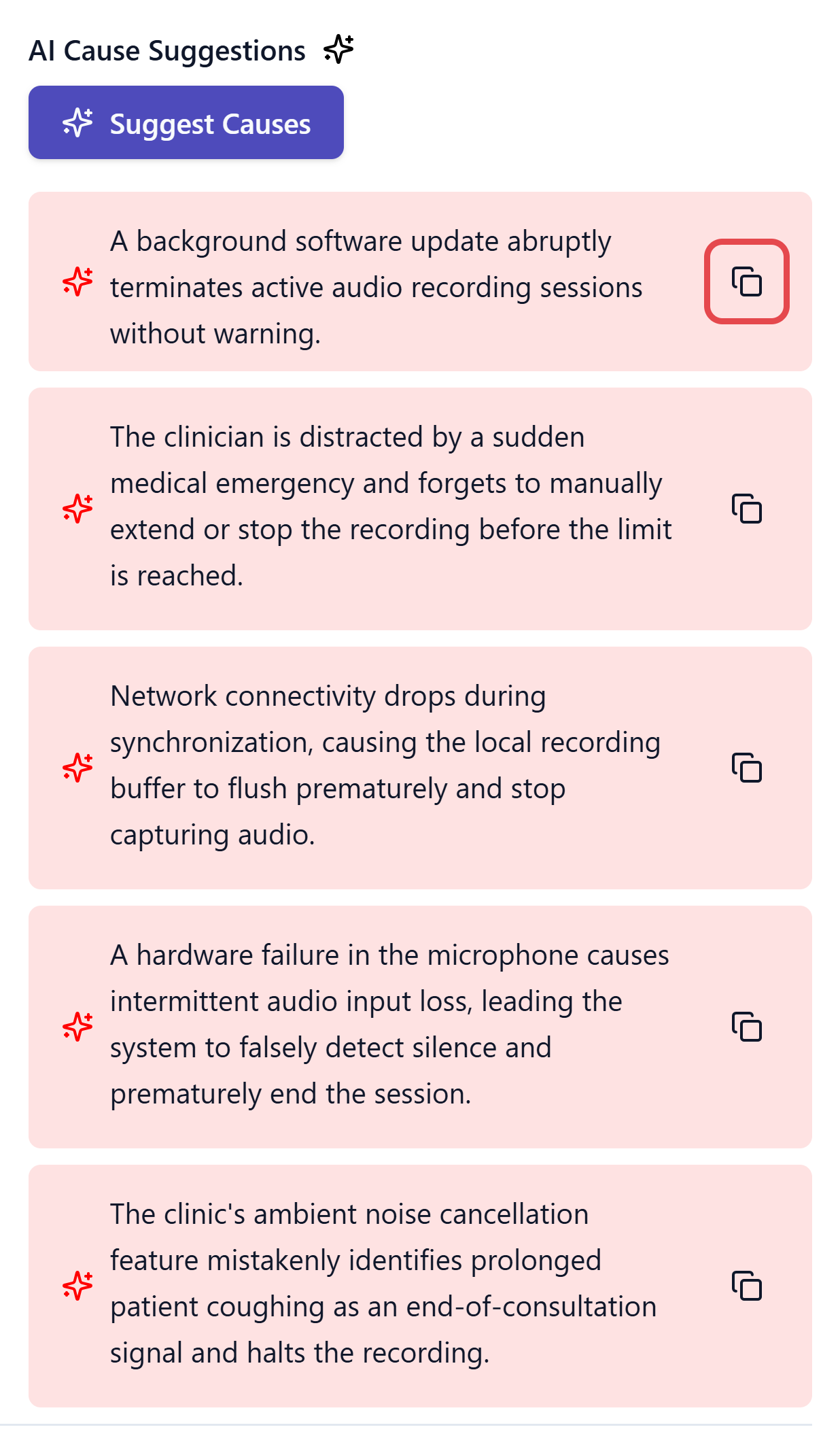
The hazard form has its own AI suggestions, separate from the Hazard Log Assistant. Each stage's button suggests entries from your product description and what you've written so far:
| Button | Stage |
| - | - |
| **Suggest Hazards** and **Suggest Harm** | Hazard |
| **Suggest Causes** | Causes |
| **Suggest Controls** | Existing Controls and Additional Controls |
Nothing is added to your log until you use a suggestion. For hazard and harm suggestions, the copy icon copies the text for you to paste and edit.
 ## Ask questions
Ask the assistant a question about the log, and it answers without changing anything.
## Modify
Ask the assistant to change a field on an existing hazard, and it shows you what will change first.
The assistant turns words like Medium and Major into numbers on the log's scale. Before you approve a new version, open each hazard it created or changed and check its wording, ratings and links.
## Use another AI assistant
Connect Claude, ChatGPT or another assistant through the [Assuric MCP Server](/integrations/mcp-server#work-in-your-hazard-log) with *Editor* access to import an existing Excel or CSV hazard log or update many hazards at once.
## Related articles
Build a hazard by hand, with the same fields the assistant fills in.
The other modes, sources and settings.
This documentation is built and hosted on [Mintlify](https://mintlify.com), a developer documentation platform.
## Ask questions
Ask the assistant a question about the log, and it answers without changing anything.
## Modify
Ask the assistant to change a field on an existing hazard, and it shows you what will change first.
The assistant turns words like Medium and Major into numbers on the log's scale. Before you approve a new version, open each hazard it created or changed and check its wording, ratings and links.
## Use another AI assistant
Connect Claude, ChatGPT or another assistant through the [Assuric MCP Server](/integrations/mcp-server#work-in-your-hazard-log) with *Editor* access to import an existing Excel or CSV hazard log or update many hazards at once.
## Related articles
Build a hazard by hand, with the same fields the assistant fills in.
The other modes, sources and settings.
This documentation is built and hosted on [Mintlify](https://mintlify.com), a developer documentation platform.