> ## Documentation Index
> Fetch the complete documentation index at: https://docs.assuric.com/llms.txt
> Use this file to discover all available pages before exploring further.
# Hazard log overview
> What the hazard log holds, how its pages fit together, and how to read the hazard log screen.
**Quick summary**
* The hazard log holds your hazards, their causes, the controls on each cause and the evidence behind each control.
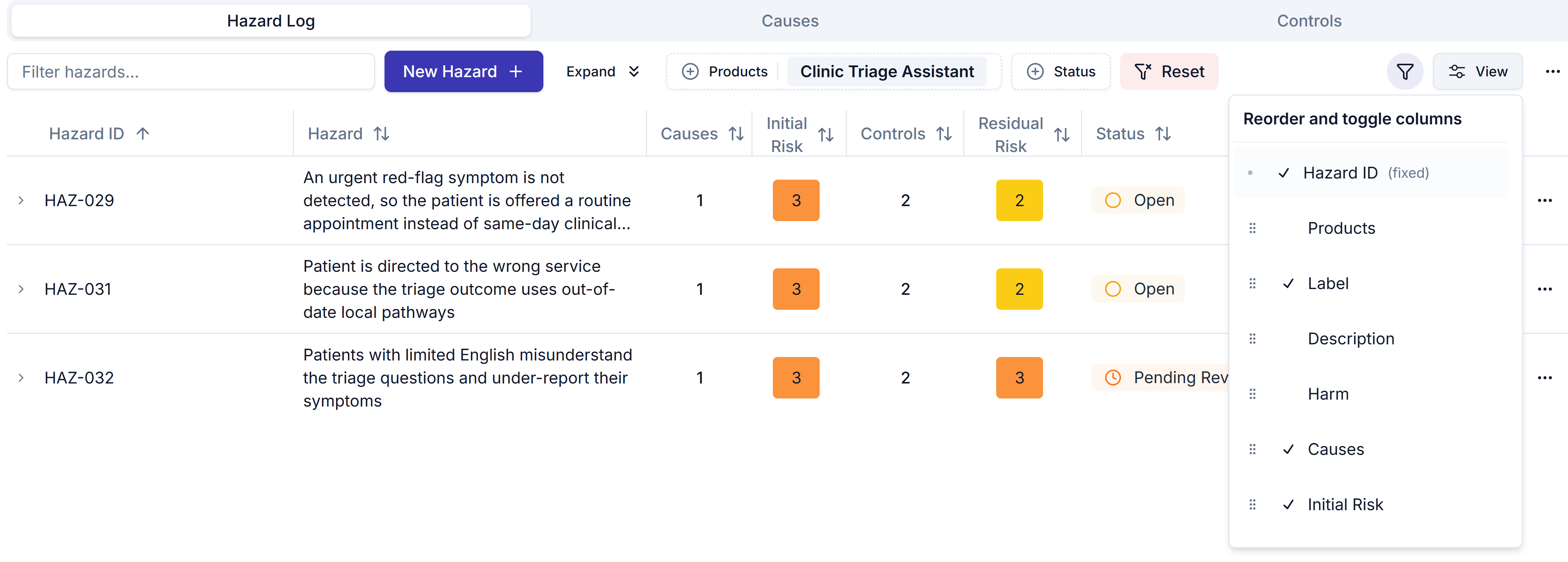
* Some hazard log columns, such as likelihood and severity, are hidden until you show them with **View**.
* The hazard log hides archived items until you add the *Archived* filter from the funnel in the toolbar.
## How the hazard log fits together
A hazard has causes, each cause has controls, and each control carries evidence. See [The four objects](/clinical-safety/causes-and-controls#the-four-objects).
* **Build it:** [Set up hazard IDs and statuses](/clinical-safety/hazard-ids-and-statuses), [Create a hazard](/clinical-safety/hazard-log), [Causes, controls and evidence](/clinical-safety/causes-and-controls), [Manage your hazard log with AI](/clinical-safety/hazard-log-with-ai) and [Risk scales and thresholds](/clinical-safety/risk-scales-and-thresholds).
* **Keep it current:** [Manage hazards](/clinical-safety/managing-hazards).
* **Sign it off and share it:** [Approve and version your hazard log](/clinical-safety/hazard-log-approvals), [Share and publish your hazard log](/clinical-safety/sharing-and-publishing) and [Export a hazard log](/clinical-safety/exporting-a-hazard-log).
## Read the hazard log
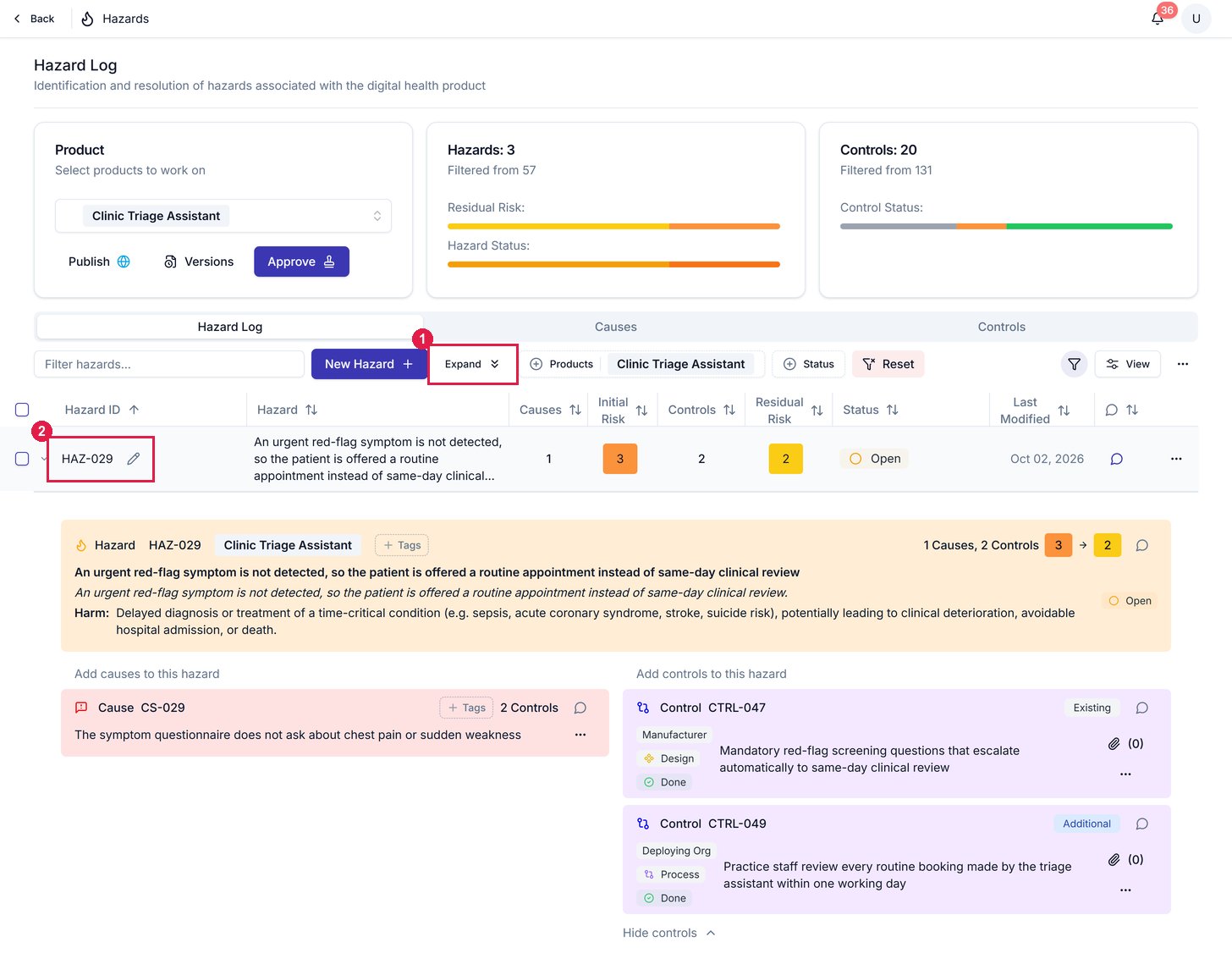
**Clinical Safety → Hazard Log** has 3 tabs: **Hazard Log**, **Causes** and **Controls**. Above them, the **Hazards** and **Controls** tiles follow your filters and the product you select. *None* on the **Hazards** tile's *Residual Risk* bar means a hazard isn't rated yet.
On the **Hazard Log** tab, the toolbar narrows the table:
| Control | What it does |
| - | - |
| **Products** and **Status** | Show only those products or statuses, and **Reset** clears every filter |
| **The funnel** | Adds *Archived* (archived items are hidden by default) and *Tags* filters |
| **Expand** | Opens every hazard's causes and controls inline |
| **View** | Shows, hides and reorders columns, including some hidden by default, such as likelihood, severity and the justifications, though Hazard ID always stays |
To change several hazards at once, tick their rows. A bar shows how many are selected, with:
* *Products* and *Status* to set them all together.
* **⋯** for more actions.
 *Activity* in a row's **⋯** menu shows the hazard's change history. Read [Archive instead of deleting](/clinical-safety/managing-hazards#archive-instead-of-deleting) before you use **Delete**.
## Related articles
Archive instead of deleting, and what to do when something changes.
Add a hazard, set its ID, score it and choose its status.
This documentation is built and hosted on [Mintlify](https://mintlify.com), a developer documentation platform.
*Activity* in a row's **⋯** menu shows the hazard's change history. Read [Archive instead of deleting](/clinical-safety/managing-hazards#archive-instead-of-deleting) before you use **Delete**.
## Related articles
Archive instead of deleting, and what to do when something changes.
Add a hazard, set its ID, score it and choose its status.
This documentation is built and hosted on [Mintlify](https://mintlify.com), a developer documentation platform.