> ## Documentation Index
> Fetch the complete documentation index at: https://docs.assuric.com/llms.txt
> Use this file to discover all available pages before exploring further.
# Causes, controls and evidence
> The model behind the hazard log: how hazards, causes, controls and evidence link, the difference between copying and linking, and how to attach evidence to a control.
**Quick summary**
* A hazard has causes, each cause has controls, and evidence on a control supports every hazard using it.
* Editing or deleting a linked cause or control changes it everywhere it's used, but a copy is independent.
## The four objects
| Object | What it is | Example |
| - | - | - |
| Hazard | Something about your product that could lead to harm | Patient contacted on the wrong number |
| Cause | A specific way the hazard could come about | Phone number entered incorrectly at registration |
| Control | Something you do that reduces the cause or its effect | Phone number format validation at entry |
| Evidence | Proof the control exists and works | Screenshot of the validation rule; training log |
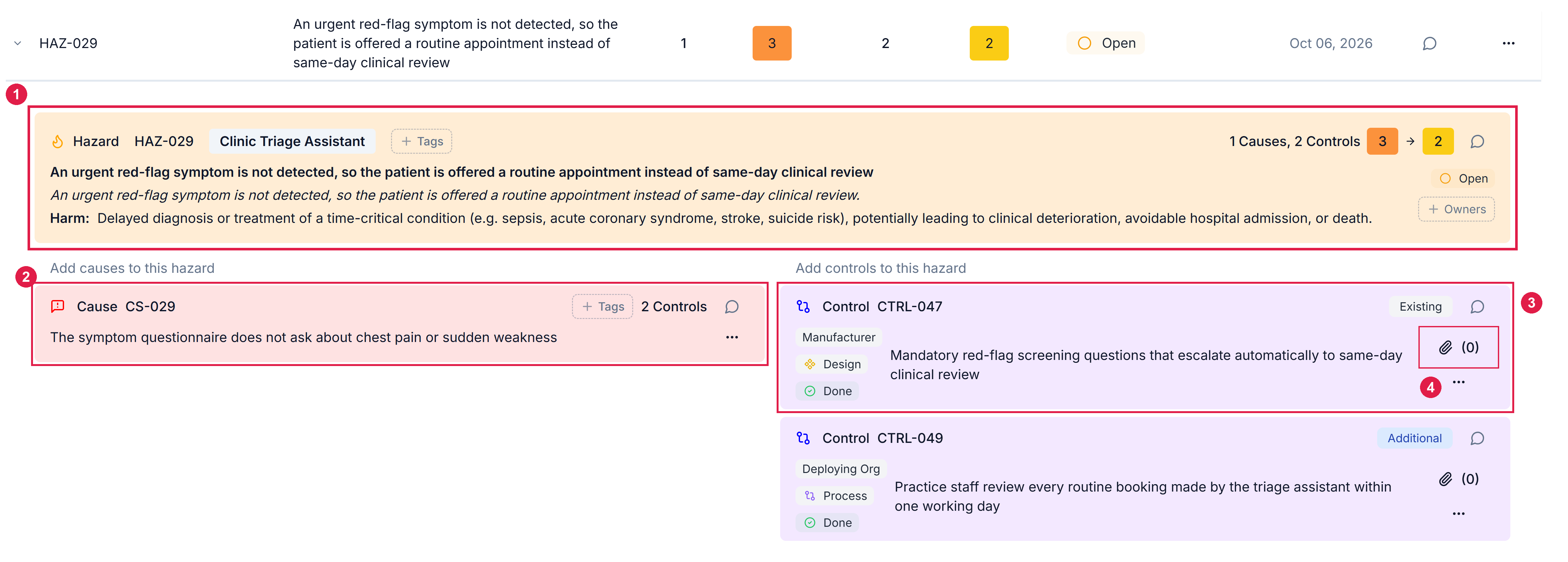
Evidence hangs off a control, not the hazard, so one piece of evidence supports every hazard where that control appears. Causes and controls go into a shared bank every hazard can draw from, whichever hazard you created them on.
 ## Copy or link
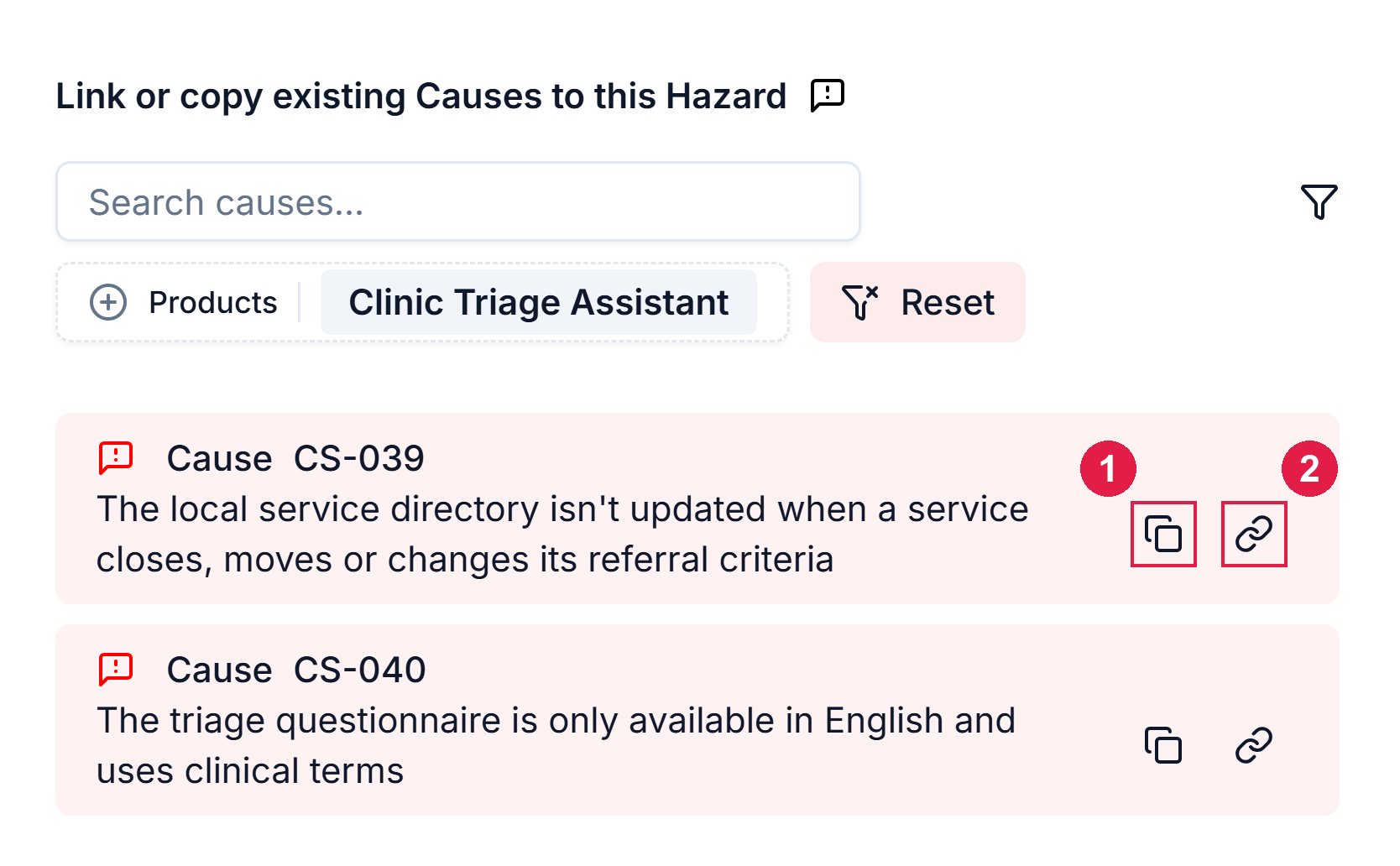
Pulling a cause or control from the bank offers a copy icon and a link icon.
Takes the text only.
* Its controls and evidence don't come with it.
* Editing it later affects only this hazard.
Use copy when this hazard's version will diverge, with a different owner, evidence or scope.
Connects to the original.
* Its mapped controls and their evidence come with it.
* Editing or deleting it anywhere affects it everywhere it appears.
Use link when it's the same control doing the same job, which is the normal case.
## Copy or link
Pulling a cause or control from the bank offers a copy icon and a link icon.
Takes the text only.
* Its controls and evidence don't come with it.
* Editing it later affects only this hazard.
Use copy when this hazard's version will diverge, with a different owner, evidence or scope.
Connects to the original.
* Its mapped controls and their evidence come with it.
* Editing or deleting it anywhere affects it everywhere it appears.
Use link when it's the same control doing the same job, which is the normal case.
 To take a cause or control out of use without losing it, [archive it](/clinical-safety/managing-hazards#archive-instead-of-deleting).
## Evidence
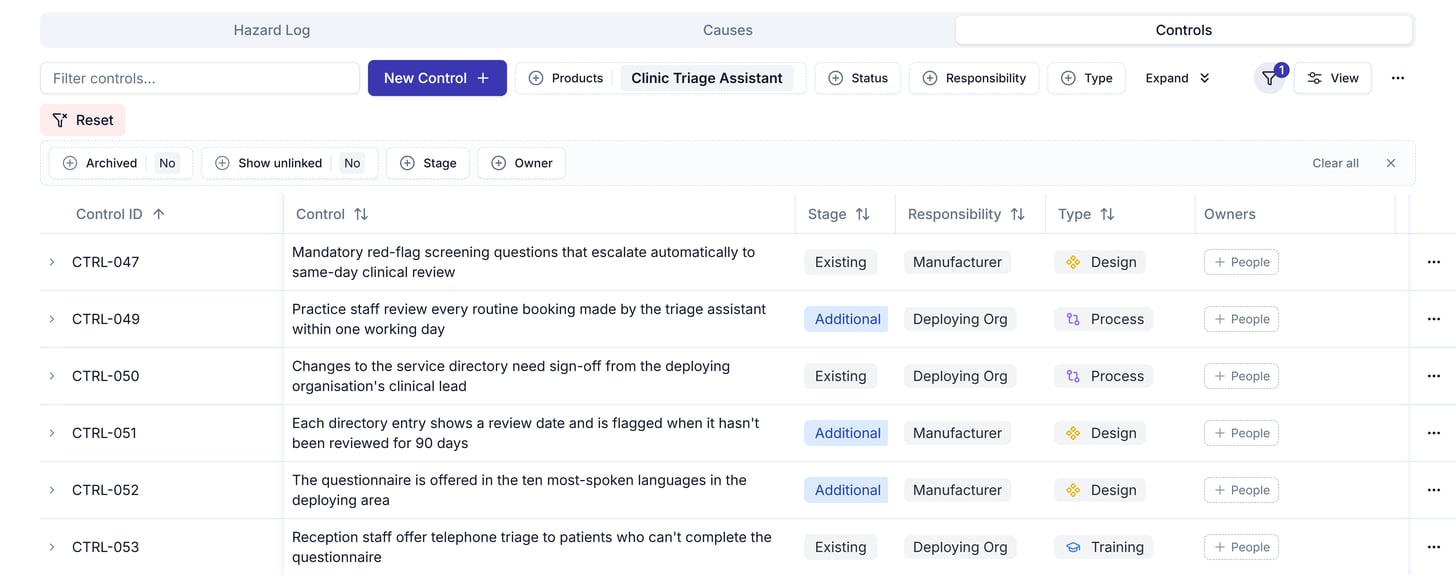
There are 2 routes to the same evidence pop-out, behind a control's paperclip icon:
Open the hazard, select the control, and click the paperclip icon.
Filter by *Awaiting Evidence* to see every control marked that way, then click the paperclip icon on each. The status is set by hand, so also scan the *Evidence* column: a control marked *Done* can still show *(0)*.
To take a cause or control out of use without losing it, [archive it](/clinical-safety/managing-hazards#archive-instead-of-deleting).
## Evidence
There are 2 routes to the same evidence pop-out, behind a control's paperclip icon:
Open the hazard, select the control, and click the paperclip icon.
Filter by *Awaiting Evidence* to see every control marked that way, then click the paperclip icon on each. The status is set by hand, so also scan the *Evidence* column: a control marked *Done* can still show *(0)*.
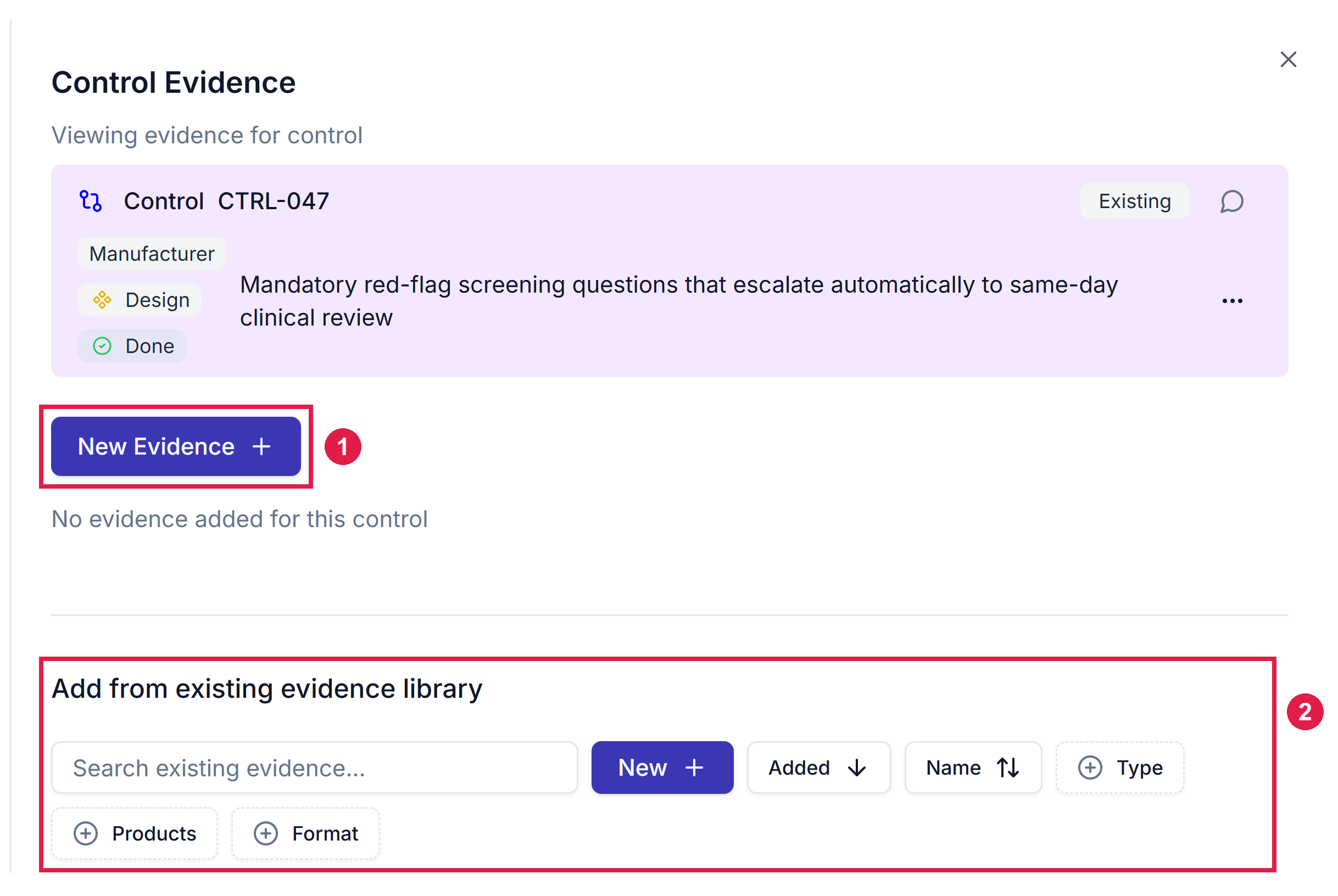
 Either way, you can add a file, a link, a note or a document already in Assuric.
* Choose an existing document where there is one, so the evidence links to it instead of uploading a copy.
* *Document Version* points at one specific version, so check the control still points to the current version after the document is re-approved.
Either way, you can add a file, a link, a note or a document already in Assuric.
* Choose an existing document where there is one, so the evidence links to it instead of uploading a copy.
* *Document Version* points at one specific version, so check the control still points to the current version after the document is re-approved.
 ## Related articles
The end-to-end procedure, using the model above.
Editing, archiving or deleting a shared item.
This documentation is built and hosted on [Mintlify](https://mintlify.com), a developer documentation platform.
## Related articles
The end-to-end procedure, using the model above.
Editing, archiving or deleting a shared item.
This documentation is built and hosted on [Mintlify](https://mintlify.com), a developer documentation platform.